


Key takeaways
- Sales tax is an involved backend process, because sellers need to manage registrations, reporting, filing, payment requirements and more, both before and after the sale.
- The sales tax compliance process is usually split across multiple systems or channels, which can impact how easy it is to calculate, collect, file, and otherwise handle tax-related duties.
- While tax compliance can sometimes be handled manually, automation or external support becomes essential as the business expands and compliance becomes more complicated.
Selling online can make sales tax look deceptively simple, especially for buyers. When preparing for checkout, the ecommerce platform calculates taxes, and all costs are charged when the customer authorizes the transaction.
Easy, right?
For sellers, the process is substantially more involved. Merchants need to know where they have sales tax obligations, which products are taxable, when they need to register, and who’s ultimately responsible for filing and remitting the tax that gets collected. Things get even more complicated when sales are split across multiple platforms, marketplaces, or retailers.
This guide breaks the sales tax workflow down from beginning to end so that it’s clear what sellers are responsible for, how those obligations evolve over time, and how best to manage them.

Sales tax in 30 seconds
The basic ecommerce sales tax workflow looks like this:
- Identify where tax obligations exist.
- Register where required.
- Calculate the correct tax.
- Collect tax from the customer.
- File returns and remit payments.
- Monitor for changes over time.
No matter how complex sales tax becomes, the compliance process will stay roughly the same as the business grows.
At scale, the number of states, sales channels, and systems involved will make each step more difficult to manage, but the fundamental process doesn’t change.
How ecommerce sales tax works
Ecommerce sales tax is made up of several separate rules and responsibilities that determine when tax applies to a transaction and what happens to that tax after it’s collected.
At the transaction level, the seller needs to determine whether they have an obligation to collect tax in a state and whether their product or service is taxable. If those conditions are met, they need to determine the rate of tax for a given jurisdiction and collect that tax at sale. Post-transaction, the process shifts to reporting, filing, and remittance.
Understanding each of those individual pieces makes the broader compliance process much easier to follow.
Where sellers need to collect sales tax
In general, ecommerce businesses aren’t required to collect sales tax on day one. Instead, tax duties are something that accumulate over time as a business establishes a sufficient relationship with a state.
That relationship is called nexus, and there are two types:
- Physical nexus is triggered when the business has a physical presence in the state. This could include maintaining an office, storing inventory, or employing workers in a state.
- Economic nexus is triggered by sales volume and transaction frequency. The thresholds for this type of nexus vary considerably between states and can be triggered even when the business has no physical presence in a state.
Particularly for ecommerce businesses, economic nexus became especially important after the Supreme Court’s 2018 South Dakota v. Wayfair [1] decision, which allowed states to impose collection requirements on qualifying remote sellers. In most cases, ecommerce companies will see their obligations materialize through economic nexus and will need to evaluate their obligations against those thresholds.
What products and services are taxable
Ecommerce sellers need to understand how their products are classified before they can be calculated correctly. However, sales tax doesn’t apply uniformly to every product or service.
Some items are taxable in most states, but others may be exempt, taxed at a reduced rate, or treated differently depending on the jurisdiction. These differences will affect both physical products and digital goods/services.
Because taxability varies by jurisdiction, accurate ecommerce sales tax calculations depend on properly identifying the product or service involved in each transaction.
Struggling with taxability?
TaxCloud’s state-level sales tax guides cover taxable and nontaxable items, rates, nexus thresholds and other requirements.
Each guide is kept up to date by the TaxCloud team and includes critical information regarding nexus rules, registrations, and seller collection obligations.
Which location determines the sales tax
Sales tax isn’t always based on where a seller is located. Instead, states use sourcing rules to determine which jurisdiction has the right to tax a transaction.
Similar to nexus, there are two types:
- Origin-based sourcing means the tax rate is based on the seller’s location: state, county, city, and possibly local district where the business is located. Companies charge the same rate to every in-state buyer.
- Destination-based sourcing means the tax rate is based on the buyer’s location: the delivery or destination address. Rates can vary widely depending on where the customer is located.
This matters for ecommerce companies, because a single storefront can serve customers across multiple jurisdictions, each with different state and local rules. While the business doesn’t determine how sourcing rules work, they need to apply them correctly in order to collect the appropriate tax.
How the sales tax rate is determined
Once the correct jurisdiction has been identified, the applicable sales tax rate can be calculated.
In most cases, sales tax rates don’t rely on a single statewide percentage. Instead, the final rate is made up of several layers, including state, county, city, and other local taxes.
The result of this layering is a combined rate that can vary greatly from one address to another. It’s also problematic for companies, because calculations — even inside a single state — can become nearly impossible to calculate manually.
Sales tax calculators can help, but these tools are impractical to use via online storefronts.
When sales tax exemptions apply
To further complicate matters, some transactions that would normally be taxable may require sales tax to be waived.
Certain buyers or transaction types may qualify for an exemption, such as resale purchases or purchases made by qualifying tax-exempt organizations. In those cases, the seller generally needs documentation showing why tax was not charged.
Exemption certificates serve as proof of why and for whom sales tax was waived, but companies need to collect and store them as part of the broader compliance process. While certificates can be handled manually, some compliance solutions offer exemption certificate management to help collect and maintain those records.
State tax rules can change!
While the basic sales tax process is consistent, the rules behind it vary from state to state. States can differ on nexus thresholds, product taxability, filing frequency, and more.
Because those rules can change over time, sellers need to continually monitor the jurisdictions where they operate for updated tax rates or special events.
TaxCloud keeps track of notable sales tax changes across the country to help merchants spot evolving state requirements.
What each system in the tax stack can see
Most ecommerce businesses rely on several systems to process sales, record transactions, and manage tax. Unfortunately, many systems don’t share the same information.
Here are a few examples:
- Ecommerce storefronts like Shopify will have visibility into their own orders, but they won’t see transactions made through another sales channel or marketplace, like Amazon.
- Accounting systems will see the transactions recorded or synced to them and can miss sales data that aren’t part of their configuration.
- Tax compliance platforms can only access data supplied through integrations, imports, or other connections.
Because of these limitations, no individual dashboard or channel should automatically be treated as a complete picture of sales tax activity right out of the box. In doing so, merchants are likely to miss transaction data, resulting in reporting errors and bad filings.
Holistic, all-in-one views are essential and can be built with the right tools. Compliance solutions like TaxCloud can be set up to capture transaction data from multiple sources and consolidate it into a unified dashboard.
Once configured, these dashboards become a single source of truth for filing and remittance, as teams will be able to see their cumulative sales data and remit taxes with much greater accuracy.
| Before / during checkout | After checkout |
|---|---|
| Determine taxability | Record the transaction |
| Identify the jurisdiction | Track filing requirements |
| Calculate the tax rate | File the return |
| Apply exemptions | Remit collected tax |
| Collect sales tax | Maintain records |
What an ecommerce seller is responsible for
Once a business begins creating sales tax obligations, compliance becomes an ongoing operational responsibility.
Sellers need to keep track of where those obligations exist and take appropriate action to collect, file, and remit taxes according to state regulations. Teams also need to respond when states request information and keep the process current as sales activity changes.
Here’s a closer look at each of the responsibilities that the seller takes on.
Keep in mind that many of these individual tasks can be automated or outsourced, but they can’t be ignored once an obligation exists.
1. Monitoring nexus obligations
Nexus needs to be monitored continuously because a seller’s tax footprint can expand over time.
As sales increase and additional thresholds are crossed, companies will need to register and begin collections. Depending on the business, companies may reach those thresholds gradually or experience sudden changes after a strong sales period.
Because economic nexus varies by state, sellers will need to compare their activity against jurisdictional rules and determine whether registration is required.
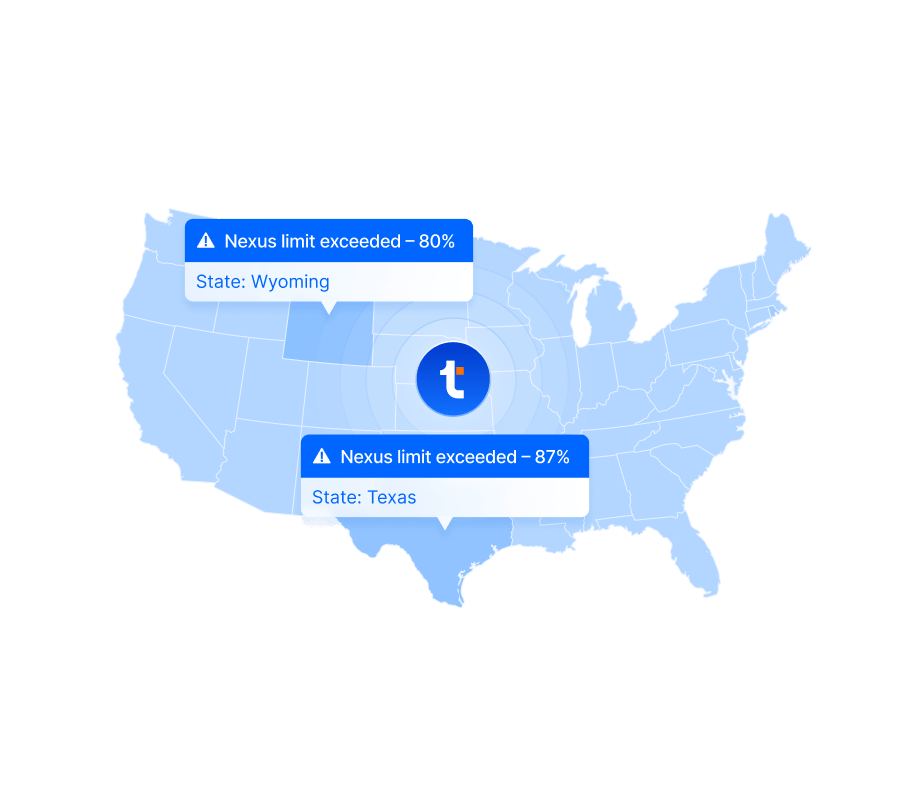
Too many locations to track?
Ecommerce and SaaS companies can easily miss registration deadlines and filing obligations during periods of explosive growth.
Many tax platforms offer proactive nexus monitoring and will notify the team as they approach registration and filing thresholds.
2. Registering when sales tax obligations begin
When a new sales tax obligation is created, the business needs to register before moving into active collection.
Merchants generally need to obtain a sales tax permit before collecting tax from customers in that jurisdiction. When setting up automated collection systems, such as Stripe Tax, the company may need to provide its state registration before it can begin collecting tax in the first place.
Although registrations can be done manually, it’s also possible to use platform registration services to handle the process, usually for a small fee on top of state registration costs.
3. Calculating and collecting accurate tax
After registration is complete, the seller needs a reliable way to calculate and collect the correct amount of tax on taxable transactions.
The final calculation will depend on several factors covered in the previous section (product taxability, sourcing rules, combined state/local rates, etc.). While manual calculation is technically possible, the number of variables involved make it impractical, especially at scale.
Instead, most digital-first businesses rely on an ecommerce platform or dedicated tax engine to handle calculations at checkout. This involves either using the built-in tax calculator attached to an ecommerce checkout system — as seen with both Stripe and Shopify — or by integrating a tax calculation engine from a compliance platform with a storefront to automate those calculations.
4. Filing tax returns
Once tax is being collected, sellers need to report that activity through sales tax returns.
Each registered state sets its own filing schedule. Businesses may be required to file monthly or quarterly depending on the jurisdiction and level of sales activity. In many cases, a return is still required even when no sales tax was collected during a given reporting period.
Reporting requirements can also change as transaction volume increases. Teams will need to keep track of both deadlines and assigned filing frequencies and adjust as required.
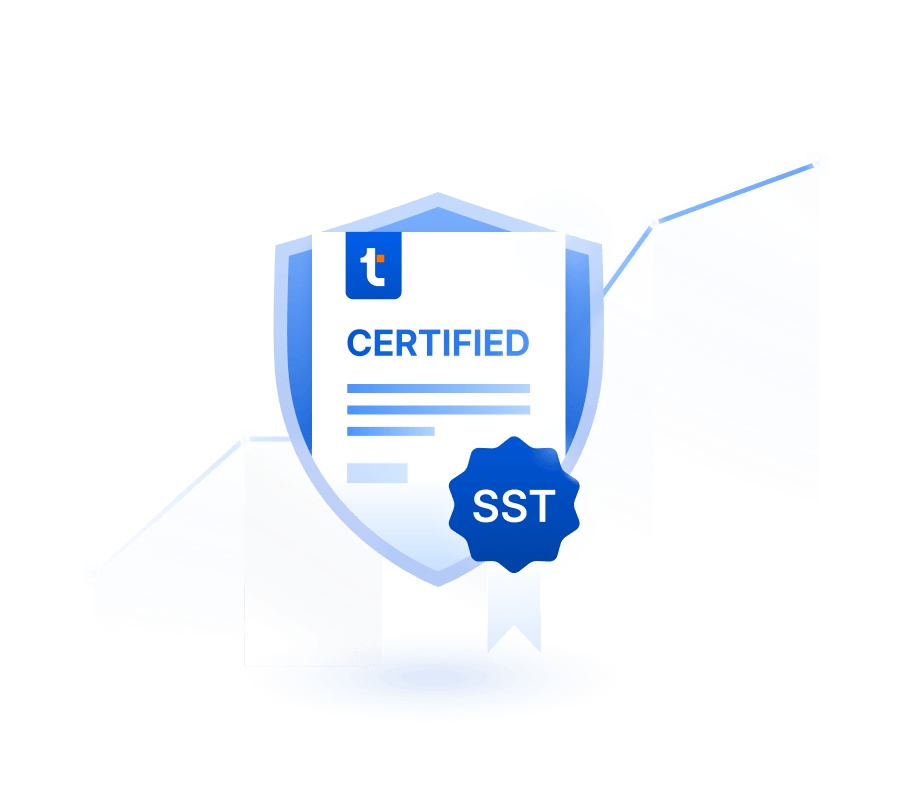
Have you heard of Streamlined Sales Tax?
The Streamlined Sales Tax (SST) program gives eligible remote sellers a simpler way to file sales tax in participating states.
Certified Service Providers like TaxCloud can handle key compliance tasks and help to lower filing costs for qualifying businesses.
5. Remitting all collected sales tax
Once a return is prepared, merchants need to send the tax collected during the filing period to the appropriate state or local authority.
That payment — called remittance — is generally tied to the filing process and should reflect the seller’s actual liability for the reporting period. Marketplace-collected tax, credits, and other adjustments will impact the amount that sellers are required to send. (More on this in the next section.)
Sending this payment closes the loop on the reporting period. At this stage, taxes of the period have been calculated, collected, filed, and paid.
6. Responding to state requests and correspondence
In addition to executing the main compliance workflow, teams also need to respond when a state tax authority reaches out.
Notices may involve filing discrepancies, missing returns, account changes, payment issues, or requests for supporting documentation. More serious correspondence can lead to an audit or formal review.
Merchants will need a process in place to review these notices quickly and supply accurate records when requested. Precisely what actions need to be taken will depend on the issue at hand, so it’s always best to have a plan of action in place.
7. Maintain and adapt the process over time
No compliance process is completely static. States regularly change their tax rules, and companies can fall under different rulesets as they continue to grow and expand.
Because taxability and compliance constantly evolve, teams will need to revisit their processes on a regular basis to make sure that registrations, tax settings, and filing schedules remain on track.
It’s possible to offset some of these pain points with automation. For example, tax compliance platforms regularly update their calculation engine automatically to comply with the latest jurisdictional changes.
However, outstanding issues that require manual intervention can lead to missed filings or remittance, which can force companies into a reconciliation process in order to fix outstanding issues.
Adding complexity: multi-channel sales
Most companies start out by selling through a single channel, like Shopify or Amazon. That’s advantageous, because it keeps the majority of sales activity in place.
Branching into multichannel sales — a common occurrence as companies scale — changes the compliance equation in a dramatic way. Transactions become distributed across different systems. Some channels may collect and remit tax independently, while others leave those responsibilities with the merchant.
As sales become more fragmented, it’s important to understand how each channel fits into the tax process.
What counts as a sales channel?
A sales channel is any place where a business completes transactions with customers.
For ecommerce sellers, common sales channels include an online storefront like Shopify or an online marketplace like Amazon. Wholesale, physical retail, or having additional, branded storefronts also count.
Each channel may use different systems or follow different tax rules, which makes multi-channel growth more complex and harder to manage.
Marketplace sales and facilitator laws
Online marketplaces operate in a fundamentally different way from a merchant’s own ecommerce storefront and are subject to different taxability rules.
Briefly, here’s a quick breakdown:
- Merchant-owned storefronts (Shopify, WooCommerce, etc.) are controlled by the seller, who generally manages the checkout experience and remains responsible for the tax obligations tied to those direct sales.
- Online marketplaces (Amazon, Walmart, Etsy, eBay, etc.) facilitate transactions between third-party sellers and customers and may be required to handle sales tax collection and remittance under marketplace facilitator laws.
This distinction is important for sellers to understand. Many states have adopted marketplace facilitator laws that require qualifying marketplaces to take responsibility for sales tax on transactions they facilitate. When those rules apply, the marketplace will calculate, collect, and remit taxes on the seller’s behalf.
As a result, a merchant selling through both Shopify and Amazon will have two different tax workflows. The merchant is responsible for collecting and remitting tax on direct Shopify orders, but Amazon will handle those steps for marketplace transactions.
At the same time, marketplace collection doesn’t make those sales irrelevant. Merchants can’t pretend like those transactions don’t exist, because they can still impact nexus calculations and reporting requirements.
To offset the confusion, sellers need to distinguish between marketplace- and merchant-collected sales while keeping both sides visible to the entire compliance process. By creating a unified nexus dashboard, it’s easier to differentiate between both transaction types while continuing to accurately track nexus.
Wholesale and resale transactions
Selling to other businesses can also change how sales tax is handled. When goods are purchased for resale, the transaction may qualify for an exemption that allows the seller to complete the sale without collecting tax.
The idea is that the reseller isn’t the final consumer and is purchasing the product to sell it again. When the transaction qualifies for a resale exemption, sales tax is generally collected later when the product is ultimately sold to the end customer.
In most cases, the exemption depends on the buyer providing valid resale documentation. Merchants working with resellers will need to keep that information on file to explain why tax wasn’t collected.
Wholesale can also follow different tax paths, where treatment varies by customer or transaction type rather than by the product itself. Depending on the buyer’s intended use, some orders may require tax collection while others may be exempt.
Similar to marketplace sales, wholesale and resale transactions can still matter when monitoring nexus, but the rules vary by state. Some states count gross sales toward their thresholds while others only count taxable or retail sales. Wholesale activity needs to be classified correctly when evaluating overall sales tax obligations.
Retail and POS sales
Retail and POS sales can complicate sales tax because they combine physical presence with a separate transaction channel.
Operating a store, showroom, event booth, or other in-state location can create physical nexus and establish obligations independent of remote-sales thresholds. Point-of-sale transactions might be processed through systems that are separate from the company’s ecommerce storefront, creating an entirely separate transaction channel.
Companies selling both online and in person will need a sales tax process that accounts for both channels so that transaction data accumulates properly.
Multiple storefronts and brands
Running several, independent storefronts online is another way that sales tax data can fragment.
If a company operates separate stores for different brands, product lines, or customer segments, each storefront can maintain its own tax configuration and transaction record through the chosen platform. While it’s possible to do this and perform a monthly rollup to combine transaction totals, every dataset provides an opportunity for something to go wrong. If data falls out of sync or is overlooked, the final consolidation will be incorrect.
Multi-brand or multi-store entities need to maintain visibility across all storefronts and will need systems that consolidate all data and provide accurate totals for both filing and remittance.
| Sales tax task | Merchant | Automation |
|---|---|---|
| Connect sales channels | ✅ | ❌ |
| Keep business & product data current | ✅ | ❌ |
| Track nexus thresholds | ❌ | ✅ |
| Review nexus alerts | ✅ | ❌ |
| Approve new registrations | ✅ | ❌ |
| Complete state registrations | ❌ | ✅ |
| Calculate sales tax | ❌ | ✅ |
| Track filing deadlines | ❌ | ✅ |
| Prepare and file returns | ❌ | ✅ |
| Remit collected tax | ❌ | ✅ |
How sales tax automation fits into the process
The complexities that surround sales tax compliance make a manual approach impractical at scale. There are simply too many moving parts and too many rules for teams to handle all aspects of the process by hand.
Smaller ecommerce companies selling into one or two states may be able to manage filing and remittance, but precise tax calculation and collection almost always requires automation. The web of rules, exceptions, and pitfalls demands too much time and effort for any one employee to track without help. Eventually, it makes more sense to switch to a dedicated tax compliance platform.
Because some level of automation is essential in sales tax compliance, this section takes a closer look at what can be automated and how that automation can help the business.
Remember: automation doesn’t eliminate oversight
While automation can reduce the compliance workload, it doesn’t transfer responsibility away from the business.
Merchants still need to review their setup, keep information current, and make sure that sales channels are fully covered.
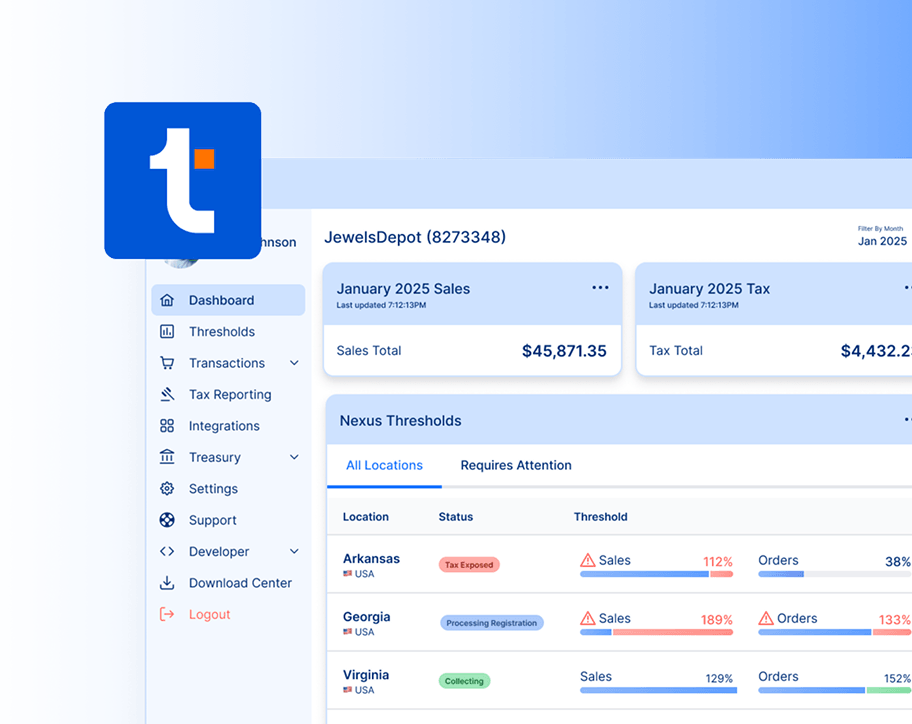
Nexus monitoring creates a unified view of sales activity
Nexus monitoring tools automate the process of tracking sales activity against state economic nexus thresholds.
Rather than pulling totals from individual storefronts, marketplaces, and other systems, the software consolidates transaction data and compares cumulative activity against the rules for each state. As sales increase, the platform can identify when a business is approaching or crossing a threshold so that registration and collection requirements can be addressed.
Particularly for multi-channel ecommerce merchants, automated tracking enables teams to track cumulative sales in one place, regardless of which channel processed the transaction.
How it helps
- Eliminates repetitive threshold checks across individual states.
- Improves visibility when sales are divided between several channels.
- Provides early warnings when registration may be required.
- Reduces the chance of missing state obligations as the business expands.
Product tax codes help automate taxability decisions
Properly classifying the products and services being sold is the first step toward taxability automation.
By using product tax codes, merchants can assign items to standardized categories that a tax engine uses to apply the appropriate rules for each jurisdiction. In essence, the tax code classifies the product and tells the system what jurisdictional rules apply.
Teams still need to make sure that products are classified correctly. After that, the platform can determine tax treatment automatically rather than requiring teams to research each transaction individually.
How it helps
- Limits repeat taxability decisions for individual transactions.
- Keeps product classifications more consistent across sales channels and states.
- Reduces the workload associated with larger product catalogs.
- Allows tax rules to be applied automatically after products are properly classified.
Tax calculation automates collection at checkout
Automated tax calculation handles the transaction-level work required to determine how much sales tax should be charged at checkout.
Once the product, customer location, and applicable tax rules are known, the tax engine calculates the correct rate and applies it to the order automatically. After automation is active, merchants no longer need to maintain rate tables or manually determine which state and local taxes apply to each sale.
For ecommerce teams selling across multiple jurisdictions, automation is practically required for accurate tax collection. Without it, each transaction needs to be calculated manually before an online order can be processed.
How it helps
- Calculates tax automatically at the point of sale.
- Accounts for jurisdiction-specific rates without manual lookups.
- Reduces calculation errors across large volumes of orders.
- Keeps checkout workflows moving without adding manual review.
Integrations minimize manual reconciliation tasks
Sales tax integrations help eliminate the repetitive work of moving transaction data between sales channels and compliance systems.
When ecommerce platforms, marketplaces, and accounting tools are connected to a tax platform, sales data can flow into the compliance process automatically. Without integrations, the data needs to be exported, cleaned, and consolidated before returns can be prepared.
Companies selling across multiple channels or platforms can leverage integrations to maintain one consistent dataset for nexus tracking, reporting, and filing.
How it helps
- Cuts down on manual reconciliation across separate systems.
- Centralizes sales activity from connected channels.
- Improves reporting consistency by reducing spreadsheet-based handoffs.
- Saves time during filing periods when transaction data needs to be reviewed.
Filing automation reduces recurring filing work
Automated filing software helps move sales tax compliance from a monthly manual process to a recurring workflow.
When transaction data is available, the platform can prepare returns, track due dates, submit filings, and remit automatically tax according to jurisdictional requirements. Internal finance and operations teams can eliminate the monthly or quarterly work involved in filing, gaining hours back to focus on other duties.
Qualifying remote sellers can even reduce the costs of filing services through the Streamlined Sales Tax program, where Certified Service Providers offer free filings in participating states.
How it helps
- Cuts down on return preparation and manual state portal work.
- Tracks deadlines automatically across multiple jurisdictions.
- Reduces the risk of missed filings as filing frequency increases.
- Centralizes filing and remittance into a single, unified process.
Bring all ecommerce sales tax processes together with TaxCloud
As digital sales expand across sales channels and states, tax compliance becomes harder to manage with disconnected systems and manual processes.
TaxCloud brings those tasks together with a suite of tax tools built specifically for compliance. The platform provides automation for everything from nexus tracking to filing and remittance, with unique savings opportunities from the SST program.
Want to learn more?
Talk to the TaxCloud team to get a personalized demo and learn how the platform can support your business.
Ecommerce sales tax — FAQs
The correct sales tax depends on the product being sold, where the transaction is sourced, and the state and local rates that apply to that specific location.
Because rates can vary between jurisdictions (sometimes even within the same state!), ecommerce sellers typically rely on automated calculation tools rather than maintaining rates manually.
No. Remote ecommerce sellers only need to collect sales tax in states where the business has established a sales tax obligation and completed the required registrations.
Those obligations — called nexus — can arise through physical presence or by crossing the state’s economic threshold. If those conditions aren’t met, the company has no obligation to collect sales tax in that jurisdiction.
A business license and a sales tax permit are two different things.
When a sales tax obligation exists, the business usually needs to register with the appropriate state tax authority and obtain permission to collect sales tax.
Separate business licensing requirements may also apply depending on the state, locality, type of business, and any related obligations.
Sometimes. Operating an ecommerce website doesn’t automatically mean that sales tax must be collected from every customer.
Collection will depend on whether the business has a sales tax obligation in the customer’s state, and whether the transaction itself is taxable.
Exempt sales or sales into states where no obligation (nexus) exists, may not require tax collection.
Amazon and Shopify play different roles in the sales tax process.
- Amazon operates as a marketplace facilitator and will collect and remit sales tax on qualifying marketplace transactions where required by law.
- Shopify provides a sales platform directly to merchants and assists them with collecting tax on sales through the Shopify platform. However, filing and remittance is the responsibility of the merchant.
Because of marketplace facilitator laws, each entity operates differently. Merchants need to be aware of those differences, because they greatly impact how tax compliance is handled by each platform.
Possibly. Marketplace facilitator laws shift collection and remittance responsibilities to the marketplace, but sellers may need to report the transactions and file the appropriate paperwork.
Seller responsibilities vary by jurisdiction, including whether the marketplace sales need to appear on the seller’s returns.
Sales tax software becomes critical as the number of states, sales channels, transactions, and filing obligations grows.
Smaller companies operating in one or two states might be able to manage some compliance tasks manually. Eventually, however, the amount of time and effort to handle compliance will pull key individuals away from other important tasks.
At some point, it makes more sense to automate the process with software, both to recapture lost time and to minimize the possibility of human error.
Sources:
- 1.