Shopify Canada sales tax setup: Configure GST, HST, PST, QST
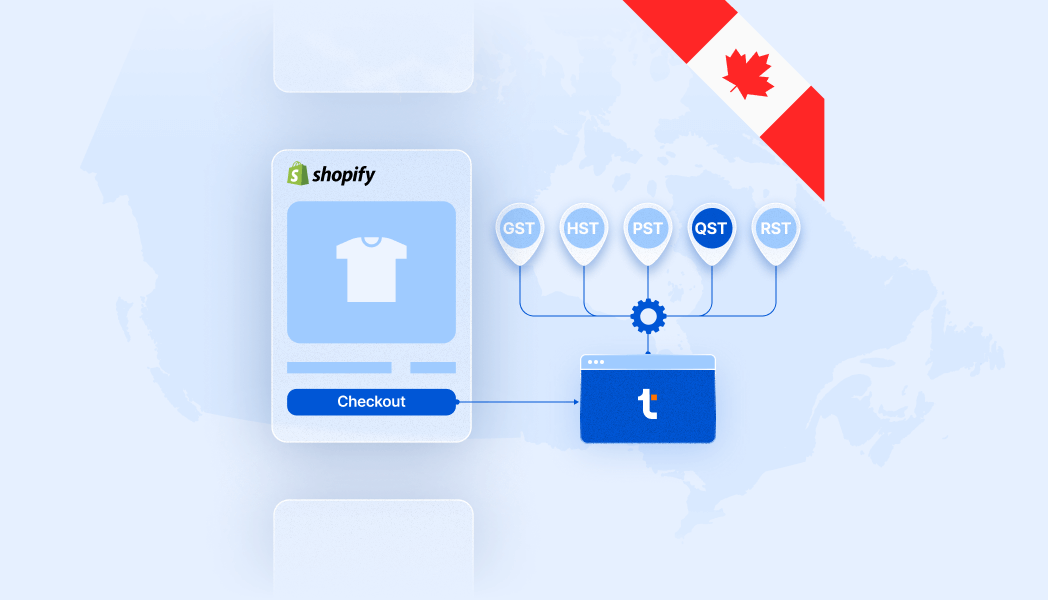


You can follow these steps to set up Canada sales tax collection in Shopify at any time, but you’re only required to start charging tax once you’re officially registered for GST/HST [1] (federal) or PST/QST/RST (provincial).
Canada sales tax rules differ federally and provincially, so confirm your obligations with the CRA or the relevant provincial tax authority before enabling collection in Shopify.
TaxCloud for Canada is here
Manage both U.S. and Canadian sales tax in one platform. TaxCloud now supports GST/HST and provincial taxes for Shopify and custom API customers, giving you accurate real-time calculations and streamlined compliance across Canada.
Step 1: Determine if you need to charge sales tax in Canada
Before turning on any tax settings in Shopify, confirm whether you actually need to register and charge sales tax.
In Canada, you must register once you exceed the federal GST/HST registration threshold or a provincial threshold for PST or QST.
If your store is based in Canada:
- GST/HST: Register once your total taxable sales exceed $30,000 CAD in a single calendar quarter or over four consecutive quarters. [2]
- Voluntary GST/HST: You can register before hitting the threshold to claim input tax credits (ITCs) or present as tax-registered to customers.
- Provincial taxes: You may also need to register for PST, QST, or RST depending on what you sell and where your customers are located.
If your store is not based in Canada:
- GST/HST: Register once your sales to Canadian customers exceed $30 000 CAD in 12 months, even without a physical presence. Non-resident suppliers can register under the simplified or regular regime; only regular registrants can claim input tax credits. [3]
- Voluntary GST/HST: In most cases, voluntary GST/HST registration is available to non-resident businesses that want to start collecting earlier for consistency or input-tax-credit eligibility.
- Provincial taxes:
- Québec (QST): Register once sales to Québec consumers exceed $30,000 CAD. [4]
- British Columbia (PST): Out-of-province sellers must register if they sell or deliver taxable goods or services to BC customers. [5]
- Manitoba (RST): Registration required once annual Manitoba taxable sales exceed $30,000 CAD. [6]
- Saskatchewan (PST): No general dollar threshold — registration required if you make retail sales to SK customers. [7]
If your store is “carrying on business in Canada”
If the CRA deems your non-resident business to be carrying on business in Canada — for example, by holding Canadian inventory, fulfilling orders from within Canada, or using Canadian agents — your sales tax obligations change.
You’ll generally need to register for GST/HST and for provincial taxes like PST, QST, or RST from your first taxable sale, even if you haven’t passed a threshold.
If you’re unsure, check with a tax advisor or read our guide to Carrying n business in Canada: What it Means for Non-Canadian Sellers for detailed examples.
Step 2: Register with the correct tax agencies
Once you’ve confirmed where you’re required to collect sales tax, the next step is registering with the appropriate federal or provincial tax authorities. Each region handles registration separately, and the process depends on where your business is based and where you make taxable sales.
Before collecting any sales tax in Shopify, register with the agencies that apply to your business:
- Federal (GST/HST) — Canada Revenue Agency (CRA) — register for a GST/HST account to charge and remit federal sales tax.
- British Columbia (PST) — BC Government – Register for PST
- Manitoba (RST) — Manitoba Tax Access (TAXcess)
- Quebec (QST) — Revenu Québec – Register for GST and QST
- Saskatchewan (PST) — Government of Saskatchewan – Apply for a PST number
You only need to register in jurisdictions where you’re required — or where you’ve chosen to register voluntarily — to ensure Shopify applies the correct rates and tax IDs at checkout.
Step 3: Set up the tax regions where you’re registered
From your Shopify admin, go to Settings > Taxes and duties.
In the Tax service section, make sure Shopify tax services is set to Active.
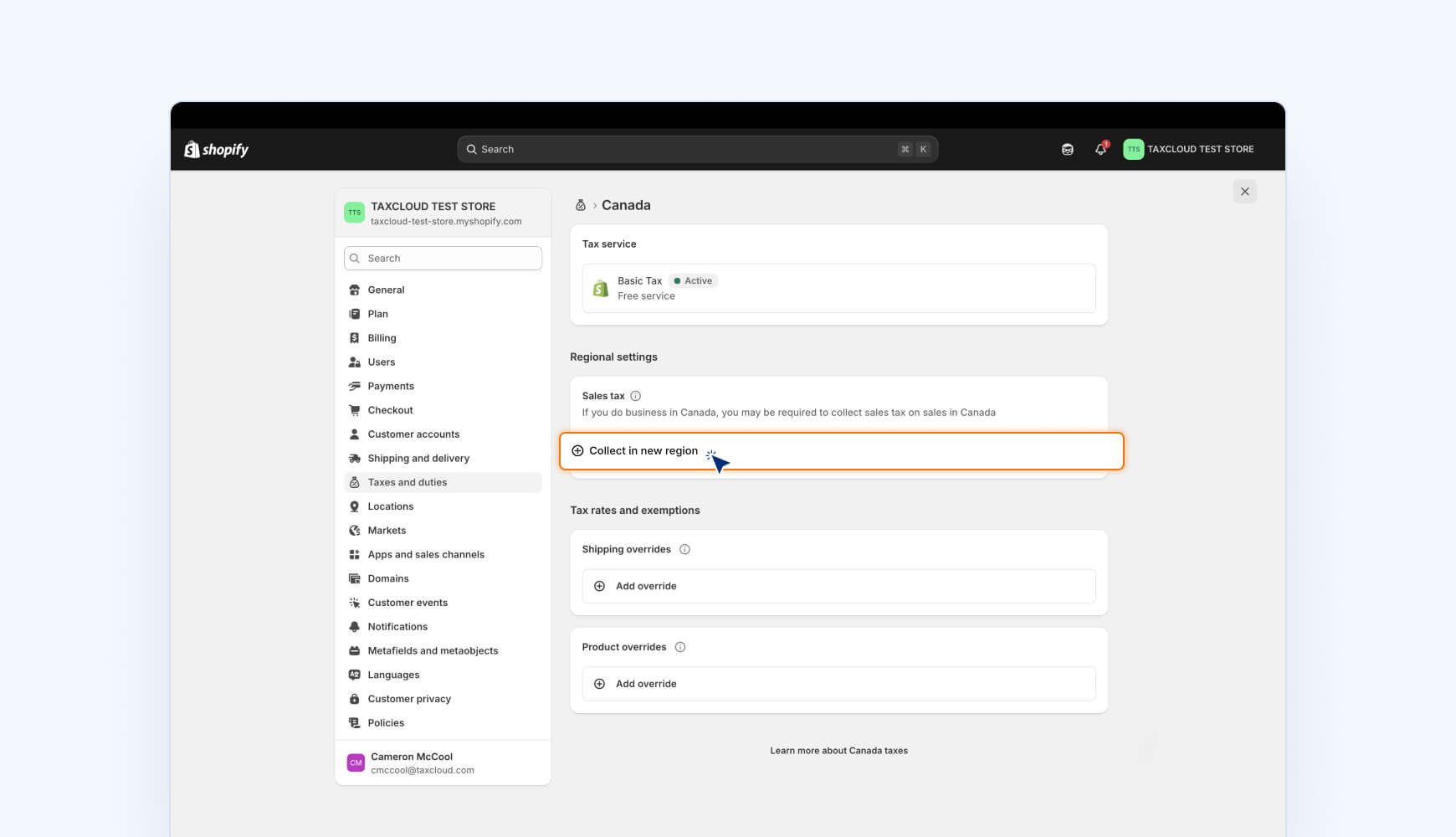
In the Tax Regions section, click Canada.
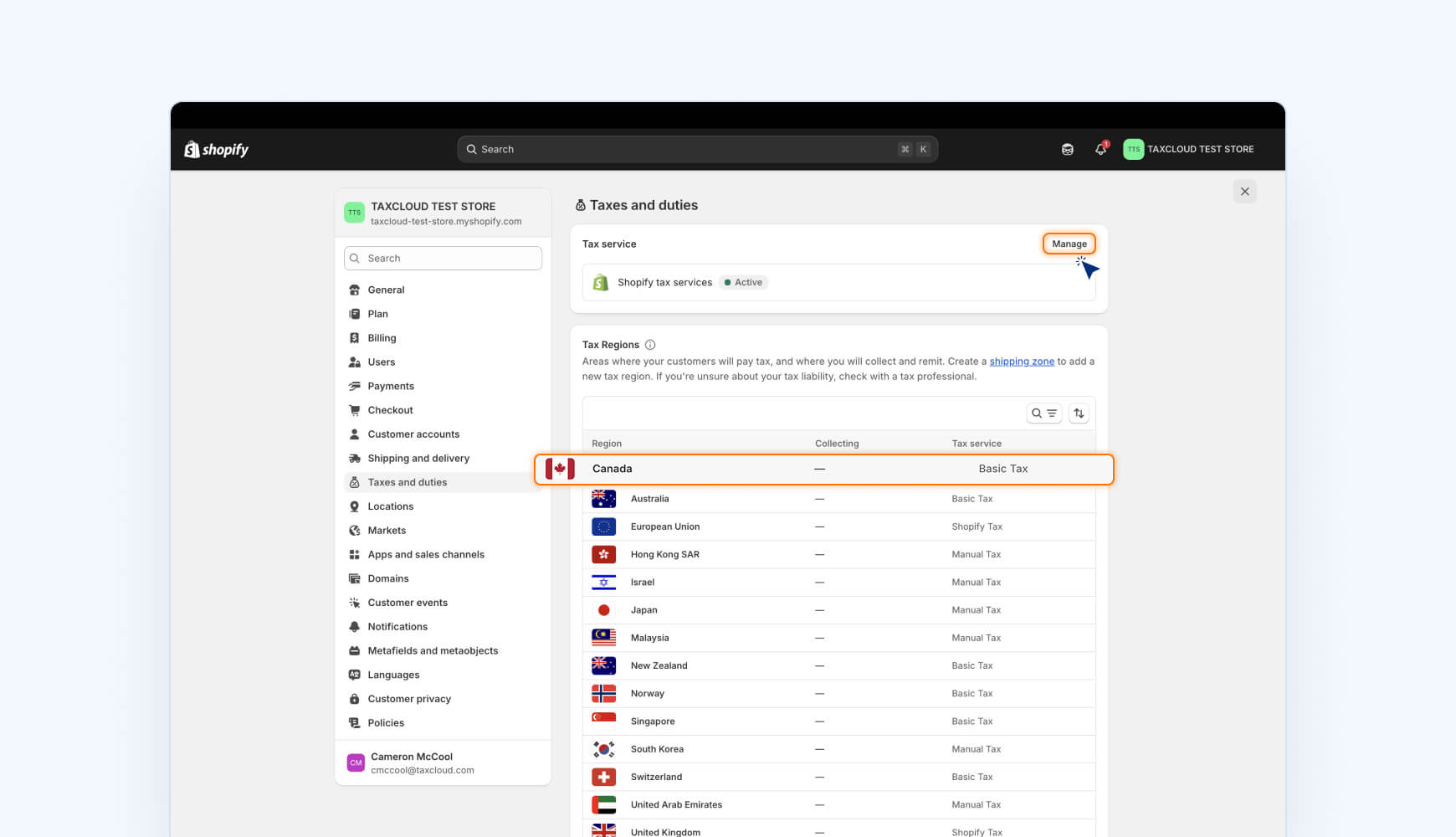
In Regional settings → Sales tax, click Collect in new region.
Select each province or territory where you’re registered (for example, British Columbia (PST), Québec (QST), or Manitoba (RST)).
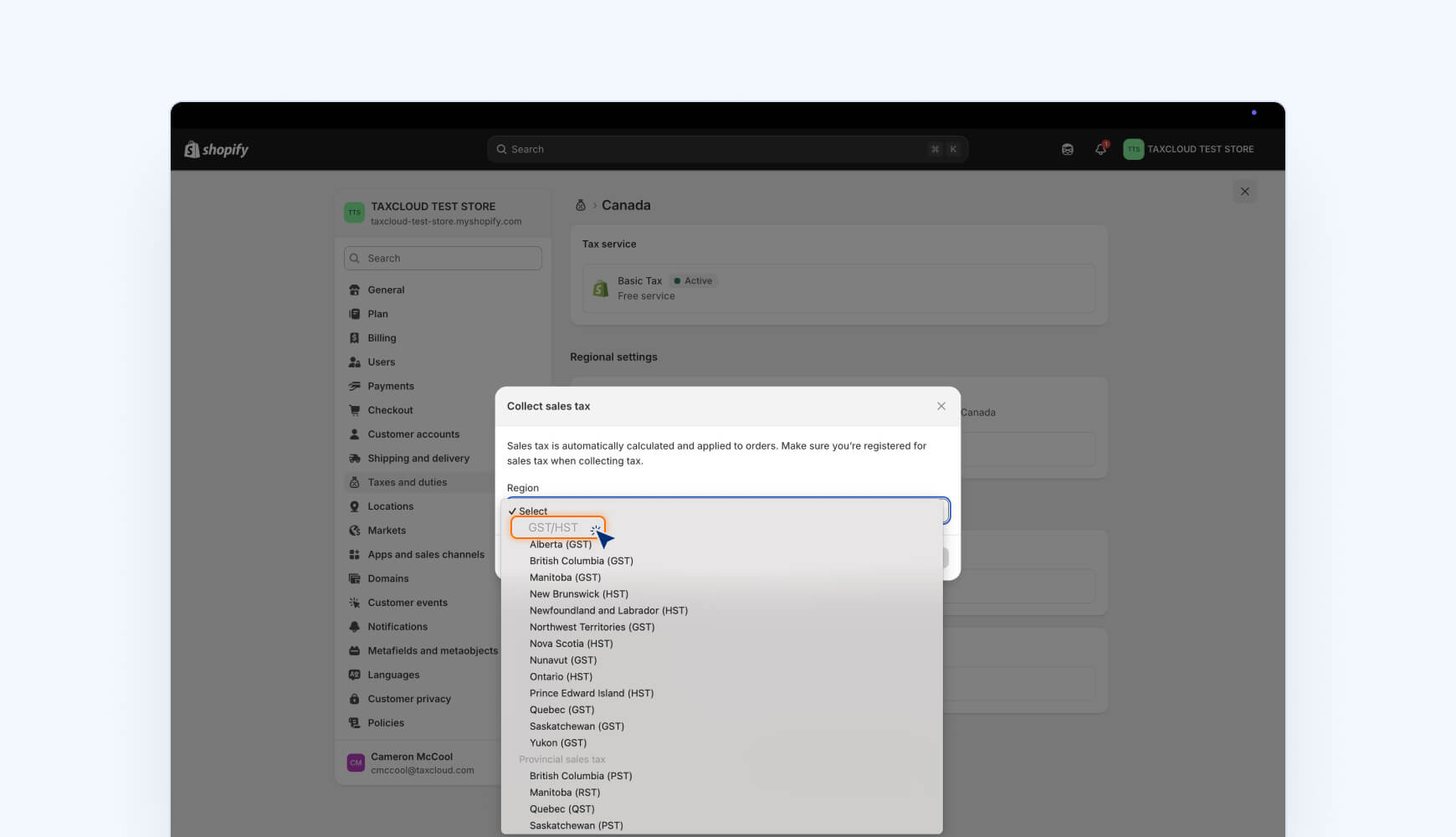
In the Sales tax ID field, enter the registration number you received from the CRA or the provincial agency.
Click Collect sales tax.
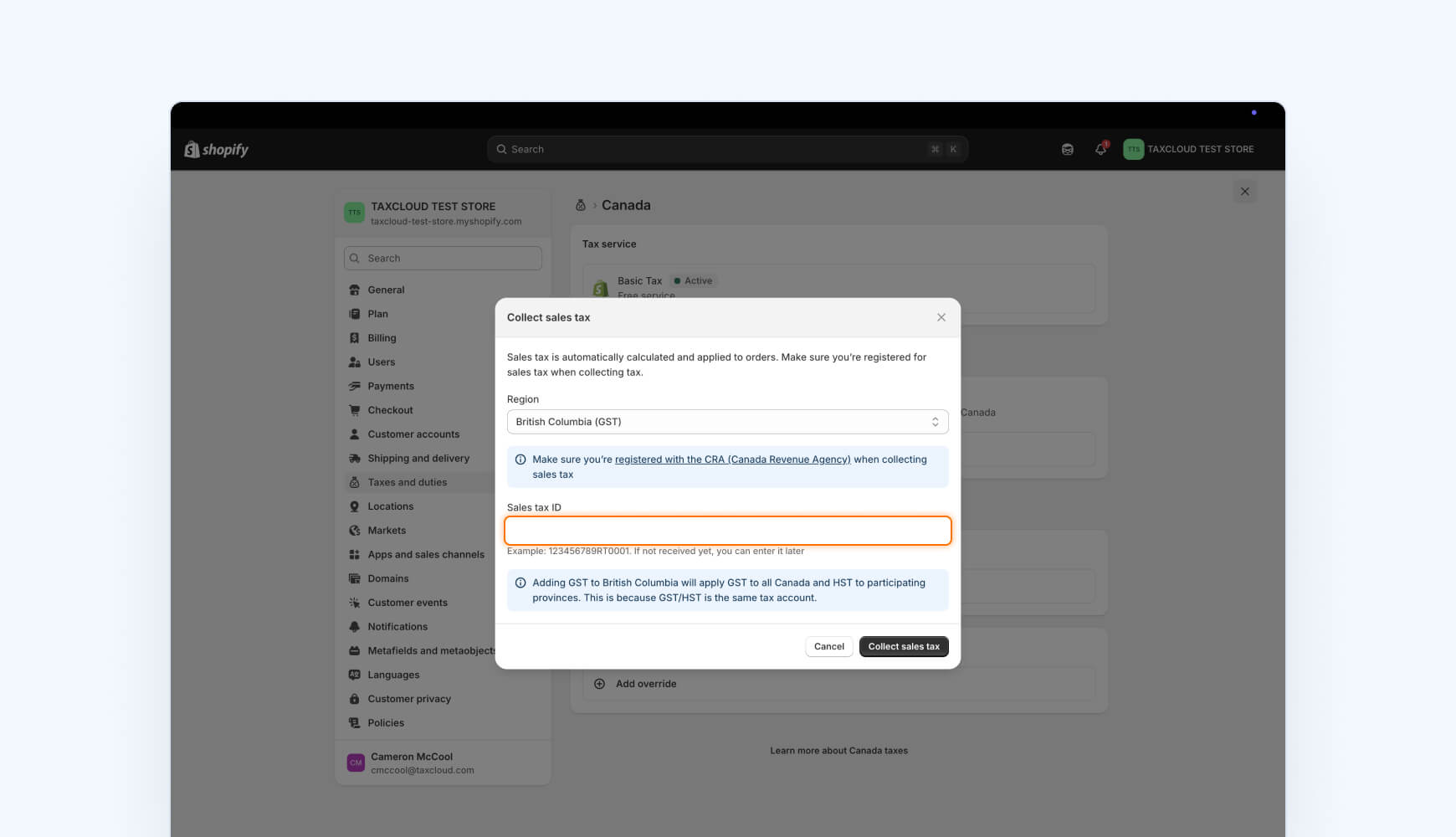
You only need to add your GST/HST account number once; Shopify automatically applies the correct GST and HST rate across provinces that participate. This is because GST/HST is the same tax account.
To add more regions later, repeat these steps for each province or territory where you’re registered.
Note: Shopify calculates and collects tax at checkout based on the registration numbers you enter, but it does not register, file, or remit those taxes to the government. You’re responsible for filing and paying collected tax to the CRA and any provincial agencies.
Step 4: Manage product, customer, and shipping tax rules
Most sellers can rely on Shopify’s default tax settings to set up Canada sales tax in Shopify. However, if you sell exempt or reduced-rate items, work with tax-exempt customers, or ship mixed taxable and exempt orders, you may need to adjust tax overrides manually.
Product tax overrides
Use overrides if you:
- Sell items that are exempt or taxed at a reduced rate (for example, groceries or children’s clothing).
- Need to apply province-specific rates for PST, QST, or RST.
- Want to apply a 0% rate for certain products.
How to create a tax override for a product in Shopify:
- Create a manual collection for the affected products.
- Go to Settings → Taxes and duties → Canada, open Tax overrides, and click Add product override.
- Select the collection, choose the region, enter the correct rate, and click Save.
You can only create overrides in regions where you’ve entered a registration number.
Customer exemptions
For resellers, nonprofits, or other tax-exempt buyers:
- Open the customer profile and mark the exemption.
- In provinces with both GST and PST/QST/RST, create separate overrides for each tax type (Canada = GST; province = PST/QST/RST).
Shipping tax
Shopify calculates shipping tax proportionally for mixed carts:
- All items taxable → shipping taxed at the full rate.
- One of four items exempt → shipping taxed at 75 % of the rate.
- All items exempt → no shipping tax.
If you sell mixed orders frequently, you can confirm or adjust this behaviour under Settings → Taxes and duties → Canada → Tax overrides → Add shipping override.
Shipping tax rules vary by province. Shopify’s proportional method covers GST/HST automatically, but you should verify PST or QST treatment with each provincial tax authority.
Tax rounding
Shopify rounds sales tax at the line-item level, so totals can differ slightly from an invoice-level calculation. This is normal and accepted by the CRA. Most sellers should leave line-item rounding enabled to keep reports consistent with CRA expectations.
Step 5: Understand what Shopify doesn’t automate
Configuring your Canada sales tax settings in Shopify is only half the battle. Staying compliant in Canada requires a few extra steps that Shopify doesn’t handle for you.
For example, Shopify helps calculate and display sales tax but does not complete compliance tasks. You’ll still need to:
- Track registration thresholds: Shopify won’t alert you when you exceed provincial sales thresholds. You’ll need to monitor sales by province manually.
- Register with each tax agency: Shopify doesn’t handle your GST/HST, PST, RST, or QST registration — you must do that directly with the CRA or each province.
- File and remit returns: Shopify doesn’t submit your tax returns to the CRA or Revenu Québec. You’ll need to file and remit funds yourself.
Keep up with rule changes: While Shopify maintains and updates many default tax rates, it’s your responsibility to confirm they match the latest rates and rules in your jurisdictions. Always double-check Shopify’s applied rates against official tax authority sources or use sales tax automation software.
Step 6: Configure your sales tax platform
Once Shopify is set up to collect tax, the last step is connecting your sales tax platform so calculations, filings, and reporting stay synchronized. Follow these steps to connect Shopify to TaxCloud.
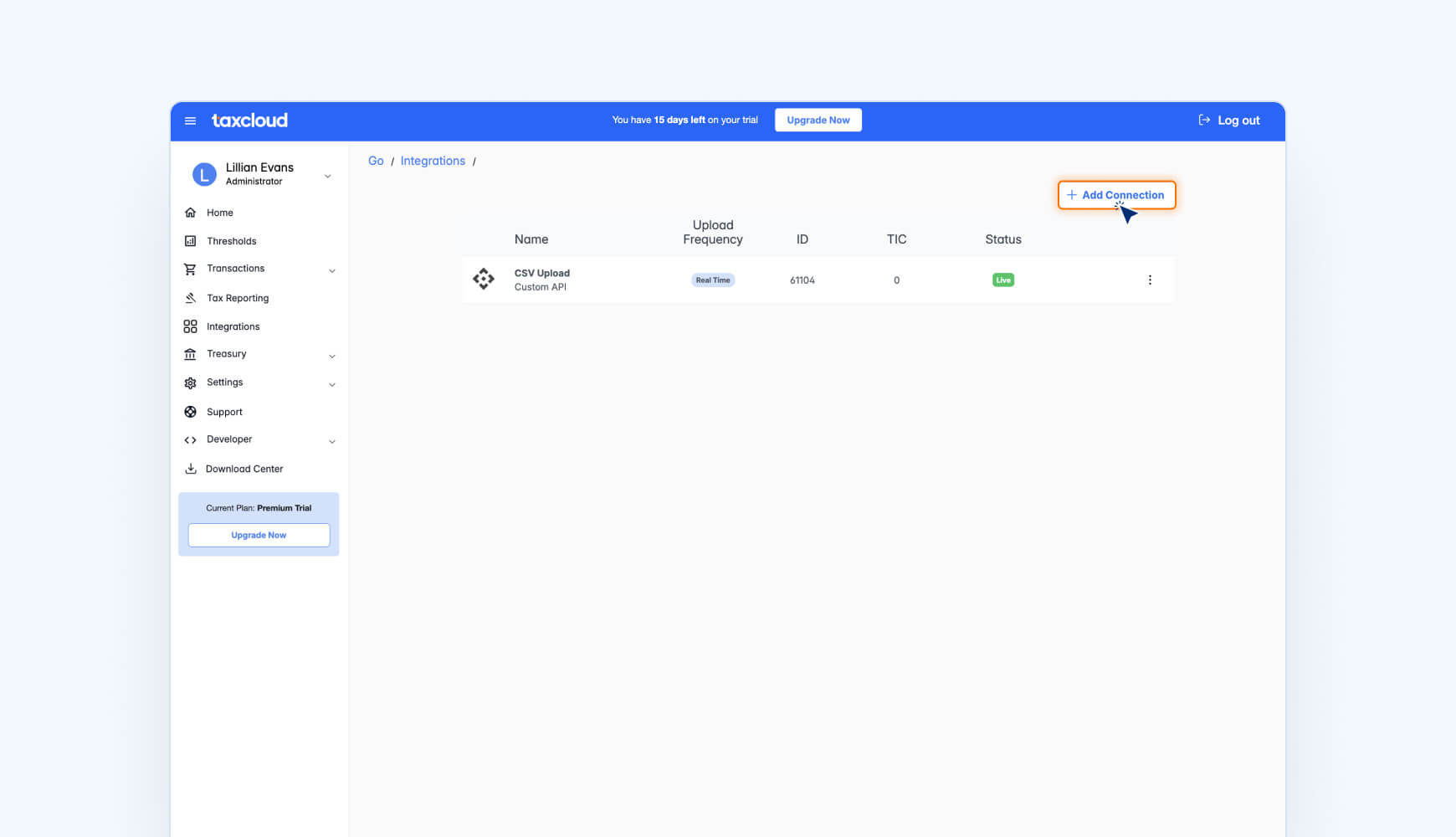
First, log in to your TaxCloud account and navigate to the Integrations page.
Click + Add Connection.
Choose the Shopify integration.

Click Connect.
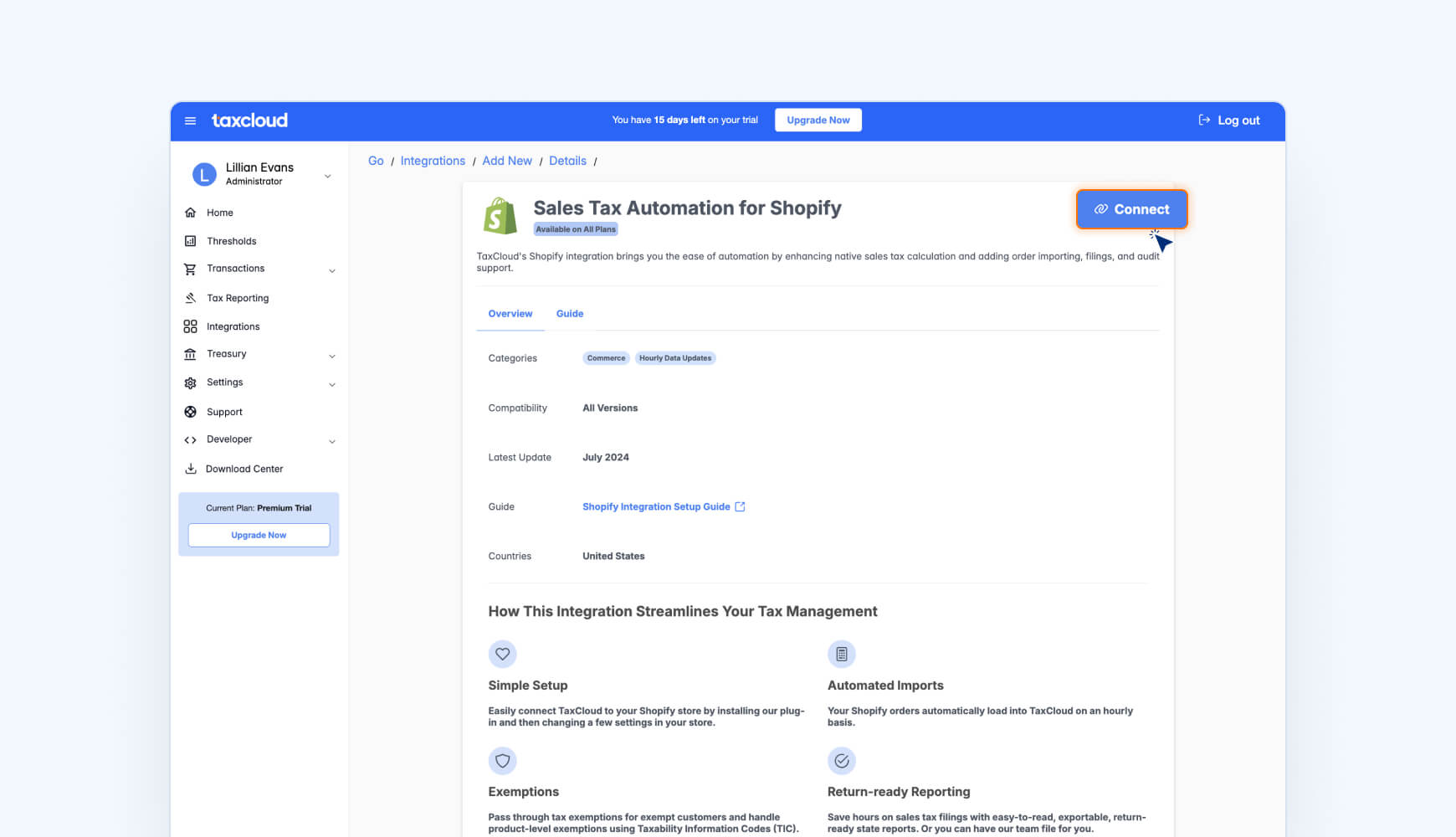
The TaxCloud app listing opens in the Shopify app store.
Click Install.

Now, log in to your Shopify account.
Note: you must be logged into the Admin Shopify account to successfully connect to TaxCloud.
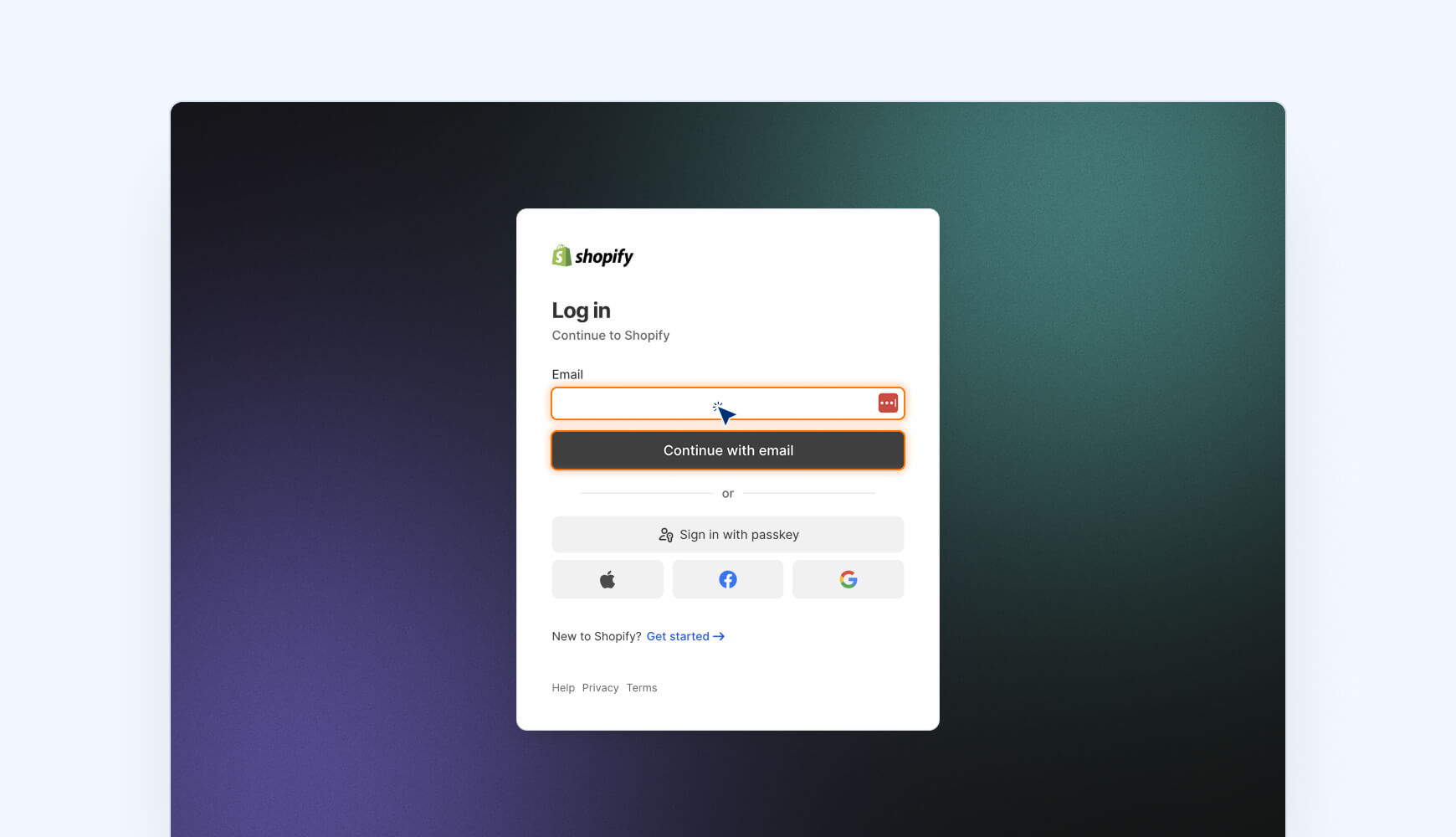
Click Install to confirm that you want to install the TaxCloud app in Shopify.

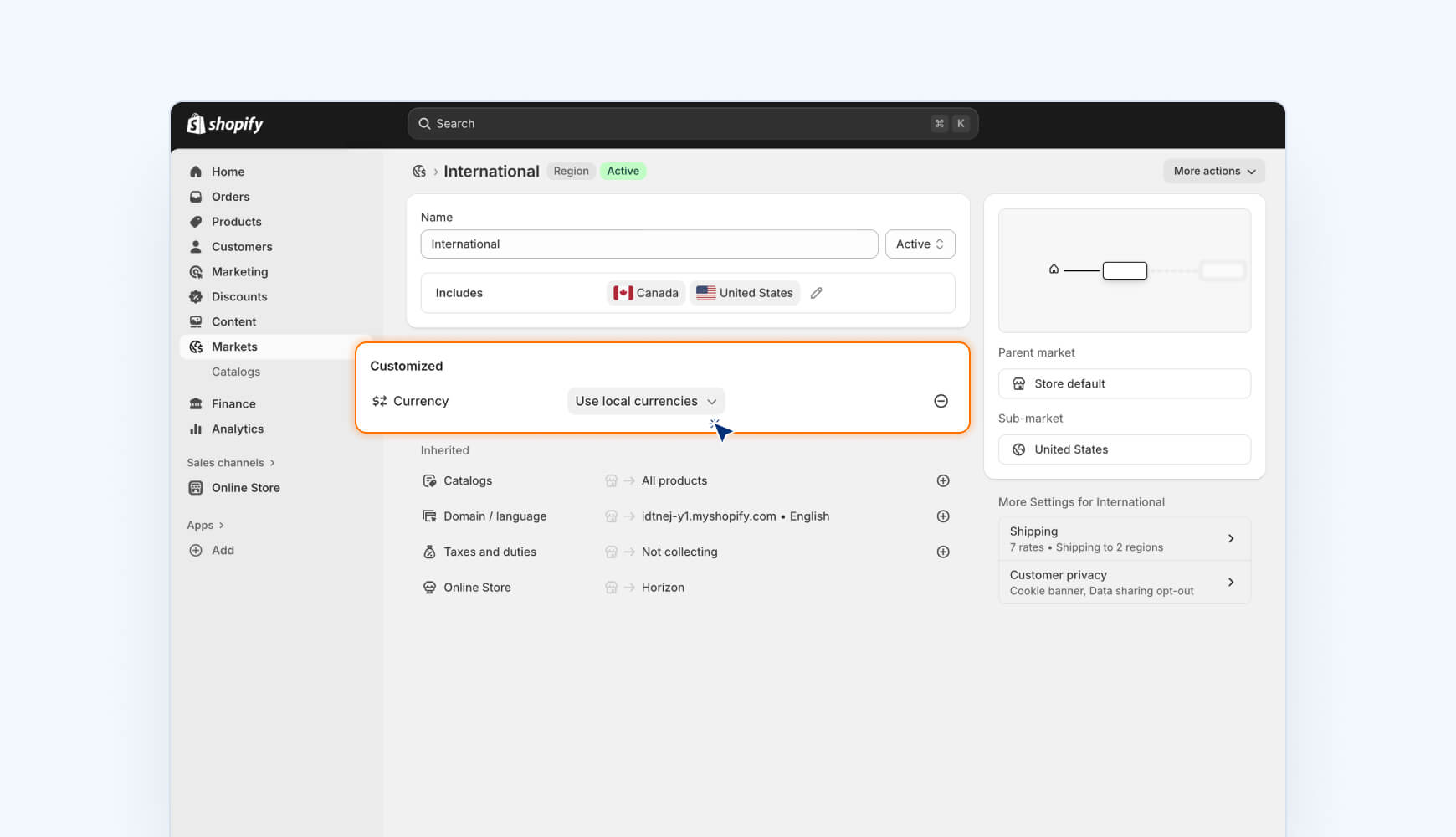
Next, check your currency settings to ensure that Canadian and U.S. transactions are imported correctly.
- In your Shopify dashboard, select Markets
- Click on your markets that include the United States and/or Canada, respectively.
- Ensure that the local currencies setting is turned on OR that United States transactions are set to USD, and Canadian transactions are set to CAD.
Finally, when you’re ready to start capturing transactions, you can set the integration live in TaxCloud. After this point, Shopify transactions will be included in reporting and tax remittance.
- From the TaxCloud app, go to the Integrations page
- Click the Shopify connection
- Click Go Live then confirm your choice

Operational best practices for sellers
To stay audit-ready and avoid surprises:
- Monitor thresholds monthly using Shopify sales reports, especially for BC, Manitoba, Saskatchewan, and Québec. If you sell through other platforms (Amazon, Etsy, etc.), include those totals too.
- Use overrides sparingly. Keep Shopify defaults unless you sell exempt or zero-rated products.
- Validate shipping and mixed-tax orders to confirm proportional tax is applied correctly.
- Audit quarterly. Compare Shopify’s “tax collected” reports against your filings. Small rounding differences are normal; large ones indicate a settings issue.
How to automate Canada sales tax compliance in Shopify
Shopify keeps your checkout compliant, but it doesn’t track Canadian sales tax thresholds or file your returns. That’s where TaxCloud comes in.
TaxCloud’s upcoming Canada support helps Shopify sellers to:
- Track provincial thresholds automatically.
- Apply accurate GST, HST, PST, RST, and QST rates at checkout.
- File returns to the CRA, Revenu Québec, and other provinces — all from one platform.
TaxCloud for Canada is here
Manage both U.S. and Canadian sales tax in one platform. TaxCloud now supports GST/HST and provincial taxes for Shopify and custom API customers, giving you accurate real-time calculations and streamlined compliance across Canada.
Shopify Canada sales tax — FAQs
Canada doesn’t use U.S.-style nexus rules. Instead, registration is triggered when you either cross federal or provincial sales thresholds (GST/HST or PST/QST/RST) or are carrying on business in Canada. Taxes apply based on the ship-to province and the product’s taxability in that province.
No. Shopify doesn’t track or alert you when your sales exceed a GST/HST or PST/QST registration threshold. It simply calculates and applies tax rates once you’ve entered valid registration numbers.
To stay compliant, you’ll need to monitor your total sales by province each month — or use a third-party tool like TaxCloud, which tracks thresholds automatically and notifies you before you’re required to register.
Shopify doesn’t proactively alert you when you’re nearing or have crossed a Canadian sales tax threshold. You’ll need to keep an eye on this manually or use sales tax compliance software like TaxCloud to do this for you.
If you go the manual route:
- Canadian sellers, check provincial sales tax thresholds here.
- Foreign sellers, check applicable thresholds in our guide Selling to Canada: what you need to know.
Shopify only tracks transactions processed through your Shopify store. It doesn’t include marketplace, wholesale, or direct platform sales (like Amazon, Etsy, eBay, or POS systems).
That means Shopify’s data alone isn’t enough to determine if you’ve crossed a Canadian sales tax threshold, since thresholds apply to your total combined Canadian sales, not just Shopify revenue.
Combine your Shopify reports with data from all other channels where you make sales to Canadian customers.
To calculate your true tax exposure:
- Export sales data from Shopify, Amazon, Etsy, or other platforms.
- Group sales by province or territory.
- Compare totals against each region’s GST/HST or PST/QST threshold.
You can do this manually in a spreadsheet or automate it with software like TaxCloud, which syncs multi-channel sales and monitors thresholds across provinces in real time.
As soon as your registration is effective. Enter your tax number(s) under Settings → Taxes and duties → Canada, select the province(s), and turn on Collect sales tax. Charging before registration can create refund issues; charging after you should have registered creates exposure you may owe out of pocket.
Registered marketplaces such as Amazon, Etsy, and eBay are required to collect and remit GST/HST— and, in most provinces, PST/RST/QST— on sales made through their platforms. However, sales made directly through your own Shopify store aren’t covered. If you make direct sales, you must register and remit PST, RST, or QST yourself once you exceed the relevant threshold.
Usually yes. Shopify applies proportional shipping tax when an order mixes taxable and exempt items: all taxable → full rate; partly exempt → blended rate; all exempt → no shipping tax. Verify province rules and spot-check mixed carts.
Yes. You can voluntarily register for GST/HST with the Canada Revenue Agency (CRA) before you exceed the $30,000 CAD small-supplier threshold. Doing so lets you claim input tax credits (ITCs) on business expenses and maintain compliance consistency if you’re close to the limit or expect growth.
For provincial taxes, voluntary registration depends on the province. Always verify the current rules with the relevant provincial authority before applying.
Use TaxCloud to automate Canadian sales tax compliance. Talk to our team to get started.
Sources:
-
1.
Government of Canada GST/HST for businesses: When to register for and start charging the GST/HST. Source link
- 2.
-
3.
Government of Canada RC4027 Doing Business in Canada – GST/HST Information for Non–Residents. Source link
-
4.
Revenu Québec Registration Under the Specified System — Suppliers Outside Québec Who Are Registered Under the General GST/HST System. Source link
- 5.
- 6.
- 7.