How to evaluate sales tax software and compliance providers: a guide for accountants and CPAs

Written by

Tax and Accounting Content Expert, TaxCloud Content Contributor
Reviewed by
Ally Rohrer
Last Updated
Choosing the wrong sales tax software can expose your clients — and your firm — to real risk. This guide gives accountants a clear evaluation framework to assess any sales tax tool through the lens of compliance, efficiency, and client trust.
If you want to put this checklist into practice, download The Complete Sales Tax Toolkit for Accounting Firms — it’s a free resource with templates and frameworks to help you expand your firm’s sales tax services.
Step 1: Define the client’s complexity
First, map out your client’s sales tax compliance profile before you evaluate any software.
Start with these core questions:
- Where do they sell? Does the client sell in one state? Nationwide? Are they a multi-channel seller (e.g., Shopify + BigCommerce)? If they conduct sales across states or multiple platforms, sales tax gets more complex.
- What do they sell? Clients need software that automatically handles the nuances of product- and jurisdiction-specific rules.
- How are they currently handling sales tax collection and remittance? Are they using sales tax plug-ins (e.g., TaxJar, Avalara) that are only partially configured? Manual spreadsheets?
You can determine whether sellers just need sales tax calculations and reporting software, automated filing software, or full outsourcing.
This step also helps you separate the must-have features from the nice-to-haves so you can right-size the solution for your client.
Step 2: Sales tax software evaluation checklist
Many sales tax tools claim to “handle everything,” but you need to understand how each solution handles the essentials. The table below outlines what to look for.
| Category | Why it matters | What to check/ask |
|---|---|---|
| Real-time calculation | Ensures sales tax collection accuracy for retailers at checkout |
How do the sales tax calculations work? Does the software pull correct sales tax rates at checkout based on the exact ship-to address (down to the ZIP+4 level)? For multi-channel sellers, does it perform real-time rate calculations across all channels? How does the vendor ensure that the sales tax rates and product tax codes in the database stay up to date? |
| Jurisdiction coverage | U.S. sales tax is local, not national. Some platforms only cover sales tax, while others also handle local district taxes, special rates, and jurisdiction-specific rules. |
How many states and localities are supported?
Can the software handle a mixed cart with taxable and exempt items? Does it apply destination-based sourcing accurately? |
| Nexus tracking | The footprint of online sellers is constantly changing. |
Does it monitor economic nexus thresholds in real time and automatically flag when thresholds are met?
Can accountants view all clients’ nexus statuses from one dashboard? |
| Filing automation | Deadlines and jurisdiction-specific requirements are less likely to be overlooked. |
Can the software prepare, file, and remit returns on a client's behalf?
Does it support auto-filing and remittance in every state? Is the vendor experienced in handling filings in challenging states where multiple jurisdictions and site codes complicate the process? Can filings be edited before submission? Is the vendor a Certified Service Provider under the Streamlined Sales Tax (SST) program, allowing free or discounted filings in SST member states? |
| Registration services | Missing or delayed sales tax permits can lead to penalties for collecting tax without authorization, so automation here isn’t just about convenience; it’s about compliance protection. |
Is registration automated, guided, or manual?
Are registration fees included or billed separately? Can you track registration status across multiple clients and states in one dashboard? |
| Exemption certificate management | Exemption certificates are common triggers for audits and penalties. If your client sells B2B or to tax-exempt organizations, a system to collect, validate, store, and track exemption certificates is critical. Some sales tax solutions, such as TaxCloud and TaxJar, include exemption certificate management. |
Are exemption details maintained in a central database and attached to the store where they originated?
Can exemption certificate details be added via an API to keep the process seamless and straightforward, or must they be keyed in manually? |
| Streamlined Sales Tax (SST) program participation | If a client is filing in any of the 24 SST member states, this can save thousands of dollars per year. |
Is the vendor a Certified Service Provider under the SST program?
Which states are part of the SST program? |
| Sales tax integrations | Accurate integrations ensure tax rates and transactions flow correctly between ecommerce, ERP, and accounting systems. This minimizes manual imports and reconciliation errors. |
Which ecommerce and accounting platforms does the software integrate with natively (e.g., Shopify, QuickBooks, WooCommerce)?
Do integrations sync transactions in real time or in batches? For non-integrated systems, what’s the process for importing data? |
| Audit support | Sales tax audits are common, especially for ecommerce businesses selling across state lines. Look for platforms that offer audit support as a standard feature or affordable add-on. |
What level of audit support do you actually provide?
Is audit support included in the plan, or is it sold as an add-on? Who actually interacts with the auditor: the firm, the client, or the vendor? |
| Support | When clients face filing errors, state notices, or integration issues, fast, informed support protects a firm’s credibility and reduces downtime. |
Is the support U.S.-based or outsourced?
Does the vendor offer phone, chat, and email, or just a ticket queue? What’s the typical response time? What’s the process for critical filing issues or audit-related requests? |
| Scalability | Prevents disruption as clients grow. A software solution that can’t handle growth leads to data silos, missed nexus alerts, and costly reimplementation. |
Is there a limit on the number of clients, stores, or monthly transactions?
How predictable are pricing increases as transaction counts rise? Can you manage multiple entities and clients from one accountant dashboard? Does system performance (speed, report generation) hold up under high transaction loads? How long are historical transactions stored and accessible for audits as volume grows? |
| Partner program benefits | Adds value for firms managing multiple clients. |
Does the platform offer multi-account dashboards, revenue-share agreements, co-marketing support, or dedicated account managers?
Will you be assigned a dedicated partner manager? Is there an Accountant Directory to reach more potential clients? |
Step 3: Evaluate pricing model
What looks inexpensive at first glance can quickly become costly once you factor in per-transaction fees, per-state surcharges, and add-ons. Here’s how to dissect the true cost:
Pricing model and scalability
- Flat-rate and tiered plans offer predictable costs and are easier to budget across clients.
- By contrast, some vendors charge per-state or per-transaction fees, which can make costs harder to anticipate as clients expand.
Included vs. add-on services
Pay attention to what’s bundled.
- What does the base plan include (registrations, exemption certificate management, etc)
- How are filings billed?
- What services are offered — such as guided setup, hands-on onboarding, or optional audit support — and are they included or billed separately?
SST program
If the platform is an SST-certified service provider, filings in SST states may be free or discounted. That can offset a significant portion of the software cost.
Step 4: Evaluate support, onboarding and audit protection
Poor vendor support makes it harder to provide reliable, timely sales tax management for your clients. You need fast access to real humans who can resolve issues, handle registrations, and step in during audits.
Onboarding
Proper onboarding support eliminates headaches and reduces implementation time. Ask:
- Is setup guided or self-serve?
- Do real people support integrations, data imports, and nexus registrations?
- Is there a dedicated onboarding team, or is it just documentation?
Platforms like TaxCloud offer optional add-on onboarding services. TaxCloud’s 1-on-1 guided onboarding gives every customer hands-on help to get set up for success from the start.
Customer support
When issues arise, accountants need clear, timely answers — not ticket queues. Look for platforms that provide responsive, knowledgeable support by phone or email, with fast resolution times and clear guidance you can rely on.
Some well-known vendors have earned a reputation for slow or impersonal support. In contrast, TaxCloud’s U.S.-based team responds within 24 hours, achieving 96% customer satisfaction and 35% first-touch resolution.
Audit support
Your clients should not face audits alone. Unfortunately, this is when many vendors disappear. Ask:
- Will the vendor help gather documentation or act as a liaison?
- How far does their responsibility extend?
TaxCloud stands out for offering audit readiness and optional add-on audit defense, one of the few platforms to do so. The right platform backs you up when things get complicated.
Step 5: Evaluate client experience
If your client’s experience is subpar, you’ll spend half your time fielding support questions. Ask:
- Is the interface intuitive for non-technical business owners?
- Are alerts and dashboards clear enough that businesses can self-manage day-to-day operations while you handle strategic oversight?
- Can clients easily view upcoming filings, edit nexus settings, and approve returns without calling you for help?
- Does the software handle multiple sales channels without constant manual reconciliation, which wastes time and increases the risk of errors?
Step 6: Check fit for your accountant workflow
Evaluate how the software fits into your existing sales tax processes. Even the best platform can slow you down if it doesn’t align with how your firm manages filings, reporting, and client communication.
Features that matter to accounting firms
Multi-account management: Can you manage all your ecommerce clients from a single dashboard? You shouldn’t have to log in and out of separate accounts to stay on top of filings and liabilities.
Role-based permissions: Can you grant client access to view reports without letting them change key settings? Granular permission controls are essential when multiple users are involved.
Data compatibility: Does the platform export clean data that can be easily reviewed, reconciled, or uploaded into your firm’s accounting systems when needed? This ensures you can maintain visibility without requiring a direct system integration.
Exportable, audit-ready reports: You need clear, detailed transaction reports—not vague summaries that make reconciliation harder.
Fits within your compliance offering
Choose a sales tax solution that complements how your firm already supports clients. The right platform should simplify compliance management and create new opportunities for growth.
Partner program benefits: Does the vendor offer tangible support for accounting partners — such as dedicated account management, co-marketing opportunities, and client referral visibility? TaxCloud’s Accountant Partner Program includes all three, giving firms priority support, discounted onboarding for referred clients, and optional listing in the Accountant Directory to help attract new business.
Training and partner enablement: Does the vendor offer partner-specific training, webinars, and resources to help you expand your sales tax compliance offering?
Co-branding opportunities: Can you market compliance services under your firm’s umbrella?
Client referral options: Does the vendor refer its own customers to approved accounting partners for tax services and consultations? This can help your firm attract new clients and build recurring revenue.
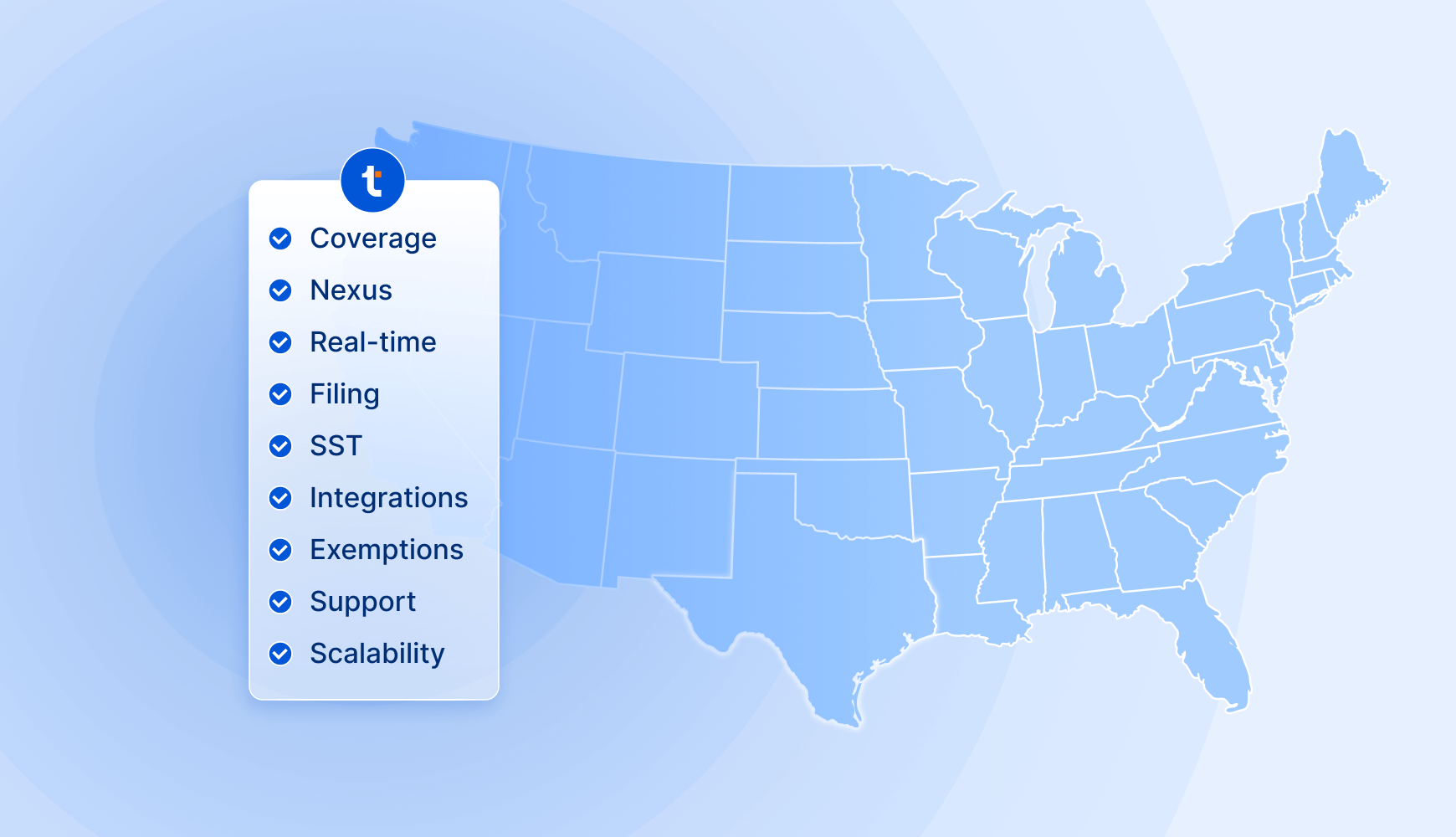
Sales tax software evaluation checklist for accountants
Whether you’re guiding one ecommerce client or managing dozens, this checklist helps you evaluate sales tax software consistently and confidently across any client scenario.
Client readiness
- Identified nexus states
- Assessed product and channel complexity
- Determined automation vs. outsourcing needs
Core capabilities
- Real-time rate calculation
- Multi-jurisdiction coverage
- Nexus tracking and alerts
- Exemption certificate management
- Filing automation
- SST participation
- Integrations with ecommerce/accounting systems
- Audit protection options
Pricing and contracts
- Transparent flat-rate pricing
- Add-on costs reviewed
- No hidden per-state or per-transaction fees
- Contract flexibility
Support and training
- Dedicated onboarding available
- Responsive customer support
- Optional audit assistance
Client and firm experience
- Easy for clients to navigate
- Scales as clients grow
- Firm-wide dashboard and permission controls
- Partner program alignment
How TaxCloud supports accountants and their ecommerce clients
Clients trust you not only to keep them compliant but to recommend technology that saves time and mitigates risk. When you deliver, it sharpens your competitive edge.
TaxCloud was built with accountants in mind, aligning its automation, pricing, and support with how firms actually work.
Here’s why it stands out:
- Automation and compliance built for online stores. Real-time rate calculation, exemption certificate management, state registration, automated filing, and nexus tracking across all 50 states.
- SST Certified Service Provider. As an SST Certified Service Provider, TaxCloud offers free or discounted filings in 24 states. That’s an advantage most competitors can’t match.
- Multi-account management. Manage every client from a single dashboard with visibility into nexus status, filings, and liabilities. No juggling logins or stitching together reports from multiple systems.
- Transparent, predictable pricing. Flat-rate plans with no per-transaction or per-state surprises. Plus, optional add-ons for dedicated onboarding and audit support. No hidden fees.
- Responsive U.S.-based support. Dedicated onboarding, partner-specific training, and hands-on audit assistance when you need it. Real people focused on solving any problems that may arise.
- Partner alignment. TaxCloud’s Accountant Partner Program offers co-marketing support, and dedicated account managers to help your firm expand its compliance services profitably.
Expand your sales tax offering with TaxCloud
Ready to take control of sales tax compliance for your ecommerce clients? Explore the TaxCloud Accountant Partner Program and learn how you can streamline compliance while growing your advisory revenue.
Sales tax software evaluation — FAQs
Start with accuracy, automation, and visibility. The right software should calculate rates in real time, track nexus exposure, manage exemption certificates, automate filings, and provide clear, audit-ready reports. For accountants, firm-level features like multi-client dashboards and permission controls are equally essential.
Check for transaction and client limits, multi-entity management, and data-retention policies. A scalable solution should maintain performance under heavy transaction volume, expand to cover all 50 states, and integrate with additional sales channels as clients grow.
Yes. Even with automation, audits happen. Look for platforms that help collect documentation, generate audit-ready reports, and, ideally, offer audit support or liaison support during audits. TaxCloud is one of the few sales tax software providers that offers audit support.
If your clients sell across states, you need a tool that automatically tracks nexus thresholds and flags when registration is required.
Without this, you risk missed filings or penalties. Nexus tracking is one of the most valuable automation features for ecommerce sellers.