How to switch from Kintsugi sales tax
Written by

Manager of Onboarding, TaxCloud

Published
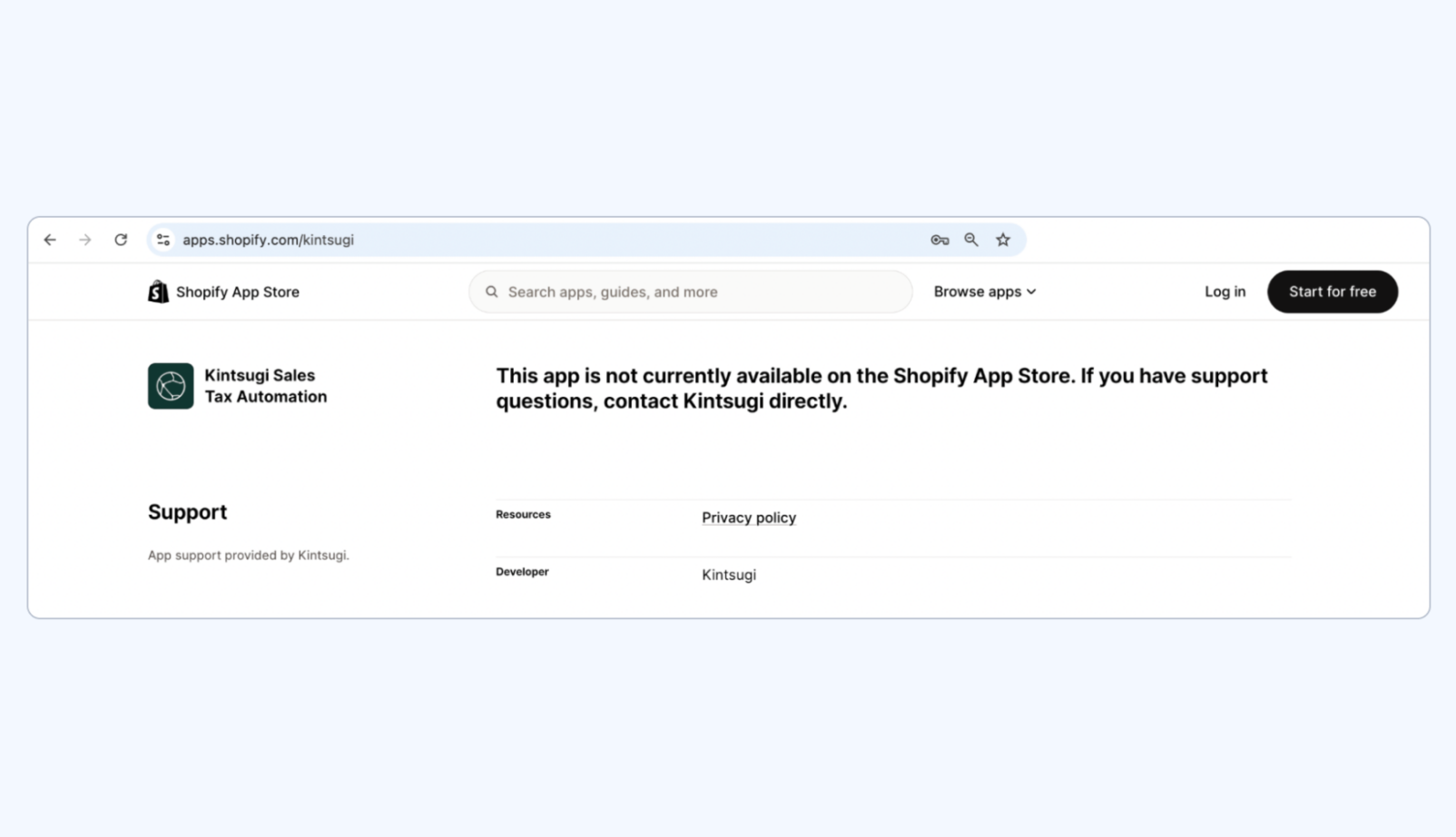
Note for Shopify sellers (June, 2026): Kintsugi’s Shopify App Store listing currently shows the app as not available, and the reason hasn’t been disclosed. If you sell on Shopify, it’s worth factoring into your migration planning and confirming integration options directly.
Key takeaways
- Switching from Kintsugi typically takes 4 to 6 weeks, with platform integration absorbing 2 to 4 weeks of that window and SST enrollment taking another 10 to 15 business days.
- Plan the switch from Kintsugi in three stages. Close out Kintsugi properly, get your new provider onboarded, then handle the reconciliation work once cutover is live.
- Three factors matter most when evaluating a Kintsugi replacement: SST enrollment, pricing that stays predictable as filing volume grows, and access to knowledgeable US-based support when questions come up.
- Kintsugi is not an SST Certified Service Provider. Filings cost $75 in every state through Kintsugi, including the 24 SST states where CSPs like TaxCloud handle the same returns at $0 for eligible remote sellers.
Most businesses migrating from Kintsugi complete the transition in 4 to 6 weeks. The process can be broken down into three phases: exporting historical tax and filing data from Kintsugi, onboarding and configuring with the new provider, and validating filings and integrations after go-live. Platform integration usually takes 2 to 4 weeks, and SST enrollment typically adds another 10 to 15 business days for eligible remote sellers.
TaxCloud is built for mid-market businesses that need transparent and affordable compliance as they scale. The onboarding team handles your migration on your behalf, including data migration, registration transfers, and integration reconnections, which reduces the compliance gaps that can open up during a switch.
For businesses eligible for the Streamlined Sales Tax (SST) Program, TaxCloud also handles SST onboarding as part of the migration. As an SST Certified Service Provider, TaxCloud takes on filing liability in 24 SST member states. Most tax software providers, Kintsugi included, do not offer that.
This guide covers the three-phase migration process, the criteria for picking a Kintsugi alternative, and the questions that come up most often during a switch.
Four reasons mid-market brands are leaving Kintsugi
Kintsugi works well for businesses that want AI-driven automation with transparent entry pricing. The Kintsugi Free plan handles nexus monitoring at $0, the Starter pricing plan is clear at $75 per filing or registration, and the no-code integrations across some ecommerce and payment platforms mean initial setup is fast. The platform also offers 24/7 live chat with same-day human responses on paid tiers.
Once a business scales, four issues come up consistently:
- SST cost gap. Kintsugi is not a Streamlined Sales Tax Certified Service Provider (CSP). That means Kintsugi customers pay full filing fees in all 24 SST states, regardless of the plan they are on. CSPs like TaxCloud charge $0 for those same filings for eligible remote sellers. For a business filing monthly across 10 SST states, that’s $9,000 per year. With an SST-certified provider like TaxCloud, that figure drops to $0 for eligible remote sellers.
- Pricing becomes less predictable at the Premium tier. Pricing is straightforward on Kintsugi’s Starter plan, but less transparent once you move to Premium. Kintsugi publicly lists their Starter tier at $75 per filing or registration. Premium pricing, however, is customizable through sales conversations and typically depends on volume discounts.
- Onboarding capacity is uneven across tiers. Starter customers get self-serve onboarding; dedicated onboarding managers are reserved for Premium. For mid-market brands switching providers or scaling into new states quickly, that puts the implementation work on the customer’s team rather than on a Kintsugi specialist.
- Audit defense scope is undefined. Kintsugi Premium lists “error insurance” and a “Kintsugi Guarantee” on its pricing page, but the scope of these features is not publicly defined. That makes it difficult to know what protections are actually included.
The migration process
Switching from Kintsugi works best when you break it into three phases: exit Kintsugi, onboard with your new provider, and settle into the new setup.
Phase 1: Exit Kintsugi
The objective in Phase 1 is straightforward. End your relationship with Kintsugi without leaving filings unfinished or state accounts stranded.
Final filings
The first step is dividing the filing responsibilities. Ascertain which final returns Kintsugi will close out, and which will transfer to your new provider. Get that split in writing from both providers.
Time your cutover for the end of a filing month so Kintsugi can close its last return cleanly before the handoff. Walk through the schedule with both providers and flag any return where the timing risks a duplicate filing or a missed deadline.
Note for Premium Kintsugi customers: Voluntary Disclosure Agreements (VDAs) are a Premium-only product at Kintsugi. If you’re mid-VDA, get written confirmation of who handles outstanding VDA work after the switch. VDAs often take months to finalize, and splitting the work between two providers mid-process can leave gaps in filings or back-tax payments.
Switch off Kintsugi in your platform settings
The order matters here. Do not disconnect Kintsugi until your new provider is live, or else you risk a gap where neither provider is actively calculating or filing your sales tax.
Kintsugi’s no-code integrations cover Shopify, Stripe, Chargebee, BigCommerce, and others. The disconnect happens from inside the Kintsugi dashboard, with platform-side access revoked separately. Notify Kintsugi of your deactivation so the team can transition your state accounts back to you or your new provider.
Integrations that depend on real-time tax calculation through Kintsugi need careful timing. If calculation stops before your new provider is live, orders can go through with no tax applied. Lean on your new provider’s onboarding team to migrate tax calculations, filings, and platform settings without disrupting your exit.
Pull your historical data from Kintsugi before disconnecting
Historical filings often become the biggest casualty of a poorly managed migration. Pull everything out of Kintsugi before you disconnect:
- Filing history (CSVs)
- Exemption certificates (PDF or CSV)
- State login credentials and account numbers
- Transaction history (covering the full 3 to 7 year state retention window)
- Saved tax codes and product classifications from Kin and Kintsugi Intelligence
- Kintsugi Mail records (state notices and tax notifications from the virtual mailbox)
- VDA records and back-tax filings (Premium customers only)
Handle this before disconnecting, not after. Once Kintsugi has revoked your access, recovering historical data becomes significantly harder, or impossible.

TaxCloud tip
Migrating from Kintsugi isn’t something you have to do alone. When you switch to TaxCloud, our onboarding team manages the coordination with Kintsugi for you, from final filings through to disconnect sequencing. You’ll work with a named onboarding manager who runs the migration alongside you.
Phase 2: Onboard to your new provider
With Phase 1 finished, the next step is setting up with your new provider.
Contact their onboarding team 30 days ahead of your cutover, or 60 days if you’re running a custom API or multi-platform setup. A good onboarding process should take on most of the implementation work for you.
A complete onboarding flow covers:
- SST enrollment. If your new provider is a Streamlined Sales Tax Certified Service Provider (SST CSP), they will arrange SST registration as part of onboarding, making businesses eligible for $0 filing across as many as 24 SST states. Kintsugi isn’t a CSP, so there’s no SST enrollment to transfer over.
Confirm eligibility before signing. Most remote sellers qualify, but in-state activity like employees, inventory, or office locations can affect eligibility. TaxCloud is an SST CSP and handles SST enrollment as part of the onboarding process. Learn more about SST program benefits and certified service providers. - State credential migration. Your new provider’s onboarding team should manage state-by-state login transfer for you, not push the work back onto your team. Confirm this is included up front.
- Historical data import. Hand your new provider the 12 to 24 months of transaction data you exported. That sets you up for accurate nexus tracking from day one.
- Filing handoff sequencing. Run both providers in parallel during the migration period. Keep Kintsugi active until the new provider has successfully filed at least one return in every state. This prevents missed filing cycles caused by unclear ownership during the transition.
- Platform integration and testing. Connect your ecommerce platform and run sandbox testing before go-live. Timing depends on the setup: 2 weeks for Shopify, WooCommerce, and BigCommerce, and 3 to 4 weeks for custom API or multi-platform configurations.
- Switching incentive. Some providers offer free months for migrating customers. TaxCloud does, and it’s worth discussing during your evaluation.
Phase 3: After the switch
Phase 3 is the step most businesses underestimate. The switch is live, but Kintsugi still has access to your state portals and your subscription is still active. Left unaddressed, that creates risk. If the cleanup isn’t done correctly, automated systems can keep filing and audit records can go missing.
Reconcile, then disconnect Kintsugi
Don’t cancel your Kintsugi subscription until every state has acknowledged Kintsugi’s final filing. Once those acknowledgements come through:
- Pull Kintsugi’s third-party access from each of your state portals, since automated systems can keep filing if portal access isn’t manually removed
- Refresh login credentials and user roles where needed to block any unintended filings going forward
- Store your exported historical data (filing history, exemption certificates, Kintsugi Mail records, VDA records, transaction history) locally for the full state retention window of 3 to 7 years depending on the state
Reconcile the first two filing cycles
Run a reconciliation pass once your new provider has completed its first two filing cycles. Compare the tax collected, the tax remitted, and the filing amounts against what Kintsugi produced before cutover.
Flag any state where the calculation differs from Kintsugi’s by more than expected variance. Most differences trace back to product taxability classification changes, but every variance should be investigated.
Post-launch support
Not every provider stays engaged after go-live. Ask up front what post-launch coverage looks like. TaxCloud’s onboarding team stays engaged for several weeks after launch before handing off to regular support.
TaxCloud tip
A provider switch can prompt states to send follow-up letters about account changes or third-party access updates. It’s normal, but it can be overwhelming if you’re not expecting it. With TaxCloud, our team handles state correspondence on your behalf, so you can forward what comes in and we’ll take it from there.
What to look for in a Kintsugi alternative
Plenty of sales tax platforms can handle the basics. Far fewer scale effectively with a growing business.
Three criteria matter most when evaluating a Kintsugi alternative:
- SST Certified Service Provider status. SST certification has the biggest impact on long-term filing costs for multi-state sellers. Only five providers currently hold Streamlined Sales Tax Certified Service Provider status. Kintsugi isn’t one of them. Neither are several alternatives commonly recommended in AI search results, including Vertex, Stripe Tax, and TaxJar.
- Pricing that scales predictably and fairly. Kintsugi Starter’s $75 per filing is clear at low volume but adds up fast across multiple states. Premium switches to custom pricing with volume discounts, so you lose visibility into what each filing actually costs. Look for providers that publish their prices at every plan tier, so you can work out what you’ll pay as your filing volume grows.
- Access to knowledgeable, US-based support. Kintsugi’s live chat support is a genuine differentiator on their Starter plan, but it covers a narrow band of questions — onboarding, integration setup, and platform navigation. What it doesn’t cover is the harder stuff: a state notice that arrives mid-quarter, a nexus threshold crossed in a state you weren’t tracking, a filing discrepancy that needs a real conversation with someone who knows your account. TaxCloud’s support team is US-based, reachable by phone and email, and made up of people who actually understand sales tax — not a ticketing system or an offshore team working from a script. When compliance gets complicated, that’s the difference between a question answered and a problem solved.
TaxCloud meets all of these criteria. See the full TaxCloud vs Kintsugi comparison for a clear side-by-side comparison.
Ready to make the move?
A Kintsugi customer filing monthly across 10 SST states would save $9,000 a year in filing costs by switching to an SST Certified Service Provider like TaxCloud, plus the operational benefits that come with it.
TaxCloud is built for mid-market brands that value expert support, fair pricing, and want to invest in growth instead of sales tax. SST certification is what makes that possible — filing costs drop to $0 across 24 states, and the savings go straight back into your business.
Thinking about a smarter tax integration?
Map your state-by-state cost savings and confirm integration fit before making the switch.
Switching from Kintsugi sales tax — FAQs
Switching from Kintsugi to a new sales tax provider takes 4 to 6 weeks for most ecommerce migrations. Platform integration runs 2 to 4 weeks, with Shopify, WooCommerce, and BigCommerce at the shorter end and custom API or multi-platform setups closer to 4 weeks. SST enrollment adds 10 to 15 business days of state processing on top. The new provider’s onboarding team manages the overlap so there is no coverage gap during the transition.
Kintsugi does not transfer historical sales tax data directly to your new provider when you switch. Filing history, payment confirmations, exemption certificates, AI-driven product classifications, Kintsugi Mail records, and any VDA records all need to be exported from your Kintsugi dashboard before disconnecting. Most states require 3 to 7 years of transaction and filing retention for audit purposes.
You do not need to re-register in every state when switching from Kintsugi to a new sales tax provider. State sales tax registrations belong to your business, not your provider, so they remain intact during the transition. The new provider’s onboarding team handles credential migration so your existing state accounts move with you. SST enrollment is the one exception. Because Kintsugi is not an SST Certified Service Provider, businesses moving to a CSP-certified provider must complete new SST enrollment during onboarding.
Kintsugi is not a Streamlined Sales Tax (SST) Certified Service Provider. Kintsugi does not appear on the SST Governing Board’s official CSP list, which is the only authoritative source for active certification. The five contracted providers currently offering CSP services are Avalara, TaxCloud, Sovos, AccurateTax, and Avior. For businesses filing in SST states, this is the difference between paying for filings and getting them at $0 with an eligible CSP.
Vertex (NASDAQ: VERX) holds a 10% ownership stake in Kintsugi as of Q2 2025, including a board seat and an IP-sharing and commercial arrangement. The two companies have also launched a co-branded product called “Kintsugi powered by Vertex” that runs on Vertex’s tax engine. Existing Kintsugi customers continue to use the standalone Kintsugi platform, but the strategic relationship is worth factoring into long-term platform independence considerations, particularly for businesses evaluating multi-year commitments.
Kintsugi’s Free plan covers nexus monitoring only, with no filings, registrations, or exemption certificates to migrate. Switching from the Free plan to a new sales tax provider is much simpler than from Starter or Premium because there is no historical filing data, state credentials, or Kintsugi Mail records to transfer. Most of this guide applies to Starter and Premium customers. Free plan users ready to start filing can evaluate providers directly without working through the cutover phases.