WooCommerce sales tax filing
Written by

Head of DemandGen, TaxCloud

Published

Updated
So… Does WooCommerce file sales tax for you?
No. WooCommerce can handle sales tax calculations at checkout, but it doesn’t automatically collect or remit taxes. And when it comes to registration, filing taxes, and staying compliant across multiple states, that part’s also on you.
If you’re using only WooCommerce’s built-in tools or a basic plugin, chances are you’re missing a few key steps and risking non-compliance. (Here’s a deeper look at the best WooCommerce sales tax plugins and what they actually do.)
In this guide, we’ll walk through what WooCommerce can and can’t handle, what proper sales tax filing actually requires, and how to automate the hard parts (like multi-state compliance, nexus tracking, and audit prep) with sales tax tools like TaxCloud.
The sales tax filing problem for WooCommerce sellers
At first glance, WooCommerce seems to handle sales tax, which is a type of consumption tax. It lets you configure sales tax rates, apply them to purchased products at checkout, and generate basic reports. But that’s where most sellers stop. And it’s also where sales tax problems start.
Here are the most common sales tax misconceptions that trip up WooCommerce sellers:
- “WooCommerce handles sales tax for me.” It can calculate tax if you set it up — but it doesn’t register you with states, file your returns, or keep you compliant.
- “If I’m collecting tax, I’m covered.” Sales tax collection and filing are separate responsibilities. Filing means tracking nexus thresholds, registering in each state, submitting returns (sometimes at both the state and local levels), and keeping audit-ready records.
- “Plugins will take care of everything.” Most plugins stop at calculation. Very few manage multi-state filing, exemption tracking, or changes to tax laws.
Meanwhile, filing requirements vary wildly across the U.S. Some states are straightforward. Others, like Louisiana and Colorado, require local-level filings across dozens of municipalities — and those rules shift often.
If you’re relying on WooCommerce’s native tools or a basic plugin, it’s easy to fall out of compliance without realizing it, especially as your sales grow across state lines.
What are the most popular WooCommerce tax plugins?
TaxCloud, Avalara, Quaderno, Yonda Tax, and the TaxJar plugin are the most popular for WooCommerce. Each offers different levels of automation, filing support, and multi-state compliance. To help you easily compare, here’s a quick snapshot of details like pricing and SST participation.
| Pricing | SST Certified | Automated Filing | Nexus Tracking | Audit Support | |
|---|---|---|---|---|---|
| Woo Tax | No charge | No | No | No | No |
| TaxCloud | Starter and Premium plans, each with tiered monthly and annual subscriptions. Starter plan starts at $19/month or $199/year. Premium starts at $79/month or $799/year. | Yes | Yes* | Yes | Yes |
| TaxJar | Starter and Professional plans, each with tiered monthly and annual subscriptions. TaxJar Starter plan starts at $19/month or $205/year. TaxJar Professional plan starts at $99/month or $1,069/year. | No | Yes | Yes | Yes |
| Avalara | Charges different prices per transaction or service depending on sales volume. Single state filing is $42-$54/filing + activation fee. | Yes | Yes | Yes | No |
| Quaderno | Offers four packages: Startup ($49/month), Business ($99/month), Growth ($149/month), and Enterprise (custom pricing). | No | No | Yes | No |
| Yonda Tax | Does not display transparent pricing. Month-to-month contract. | No | Yes | Yes | No |
* In TaxCloud, this means that the more returns a business has TaxCloud handle, the lower the price per return will be (e.g., starting from $39, which can be reduced to $29 with higher volumes, as pricing discounts are applied).
Note: Most tools focus on calculation, not filing. And even among those tools that file, few support full automation or state programs like SST.
What WooCommerce sales tax tools can (and can’t) do
WooCommerce powers over a third of all online stores — but when it comes to sales tax, its native tools aren’t built for scale. If you’re selling in one state, you might be fine. But if you’re expanding across states or growing fast, WooCommerce’s limitations start to show.
Here’s what WooCommerce sales tax tools can do — and where they fall short.
| Sales Tax Task | ✅ WooCommerce Can | 🚫 WooCommerce Can’t |
|---|---|---|
| Set up tax rates | Yes, you can configure manual tax rates in WooCommerce settings. | But it won’t update rates automatically or account for tax law changes. |
| Support multiple rates | Yes — manually. | Not ideal for multi-state sellers. You’ll need separate plugins for each location. |
| Apply tax to shipping | Yes, you can assign shipping classes and define their taxability. | But managing special rates (e.g., “eco tax”) requires manual work. |
| Track economic nexus | ❌ | WooCommerce doesn’t monitor sales across states, so you won’t get alerts when you cross nexus thresholds. |
| Generate tax reports | Yes, basic sales tax reports are available. | But they lack the detail needed for multi-state filing or audit defense. |
| Handle tax exemptions | ❌ | You’ll need a separate plugin or tool to manage exemption certificates. |
As you can see, WooCommerce supports basic tax setup — but it can’t handle multi-state filing, nexus tracking, or exemption management. For full compliance, most sellers use third-party tools like TaxCloud and the TaxCloud WooCommerce Integration.

What does proper sales tax filing actually involve?
Filing sales tax isn’t just about hitting “submit” once a month. For WooCommerce sellers with customers in multiple states, compliance means staying on top of changing thresholds, tracking sales across platforms, and filing in dozens of jurisdictions — each with their own rules and deadlines.
Here’s what that actually looks like:
1. Register in every state where you owe sales tax
You’re legally required to register and collect sales tax in every state where you’ve triggered economic nexus. But nexus thresholds vary by state and can shift over time.
2. Gather and organize your records
Each return requires detailed records: total revenue, exempt transactions, deductions, and jurisdiction-level data.
3. Calculate rates and file with the right tax agencies
You’re responsible for collecting the correct rate and remitting it to the right agency — often at both the state and local level.
4. Reduce your filing costs (with SST)
If you’re eligible, you can use the Streamlined Sales Tax (SST) program to file for free in 24+ states.
5. Stay audit-ready
Sales tax audits are common — especially for ecommerce businesses selling across state lines.
Make WooCommerce sales tax filing easier with tax software
If you’re only using WooCommerce’s built-in tools (or a basic plugin), you’re stuck doing the hard parts manually: tracking nexus, registering in every state, submitting returns, and reconciling reports.
That’s fine when you’re small — but once you’re selling across state lines, those gaps put your business at risk.
Tax software like TaxCloud picks up where WooCommerce stops.

It gives you real-time rate accuracy, nexus tracking, multi-state filing automation, SST participation, exemption support, and U.S.-based help when you need it.
Here’s what the difference looks like.
| WooCommerce Alone | WooCommerce + TaxCloud | |
|---|---|---|
| Sales tax calculation | Manual setup required | Automated, real-time across all U.S. states |
| Multi-state filing | ❌ Not supported | ✅ Fully automated |
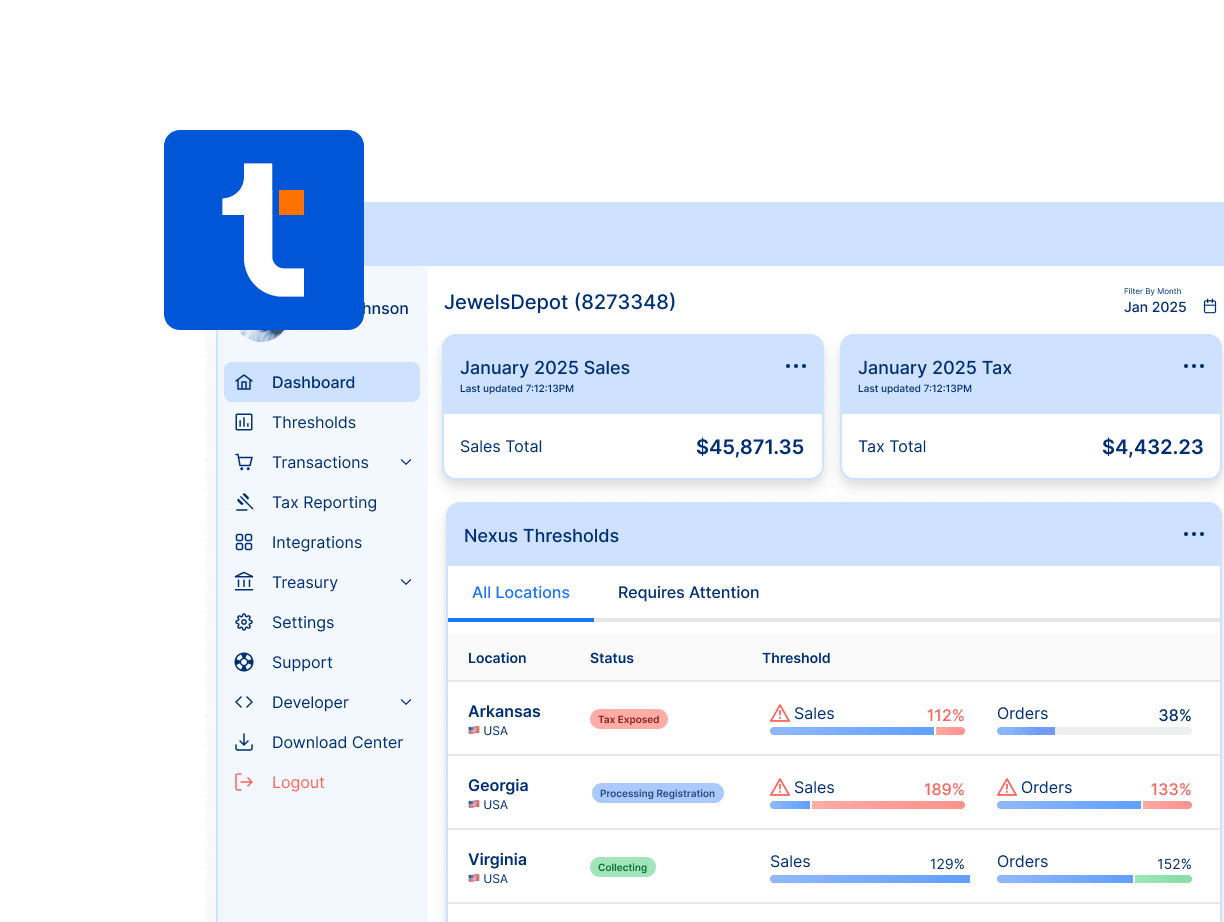
| Economic nexus tracking | ❌ Not included | ✅ Built-in with threshold alerts |
| Sales tax registration support | ❌ No | ✅ Available when needed |
| SST program access | ❌ Not supported | ✅ Save time & money filing in 24+ states |
| Audit-ready reports | ⚠️ Basic reporting | ✅ Centralized and exportable |
| Tax exemption support | ❌ Requires third-party plugin | ✅ Included |
| Cross-platform support | ⚠️ WooCommerce only | ✅ Works with WooCommerce, Shopify, BigCommerce, and more |
| WordPress compatibility | WooCommerce is built for WordPress. | TaxCloud’s WooCommerce integration is built to work perfectly with a typical WordPress + WooCommerce setup, making it easy to connect and start automating sales tax without dev help |
| Pricing model | Transparent | Transparent, no per-user pricing |
| Customer support | Limited (community-based) | U.S.-based, <2hr response time |
Stay compliant without the headaches
When it comes to sales tax, WooCommerce gives you the basics. But when your store grows across state lines, staying compliant gets complicated fast. Manual filings, shifting nexus rules, and local tax quirks aren’t just time-consuming. They’re risky.
TaxCloud simplifies all of it.
From real-time rate calculation to automated filing and audit-ready reporting, TaxCloud handles the hard parts for you, so you can focus on growing your store, not worrying about sales tax.
Get started with TaxCloud today
Automate everything from tax calculations and returns to managing exempt sales — so you can focus on what really matters: growing your WooCommerce store.